Slack
Ask where you already talk.
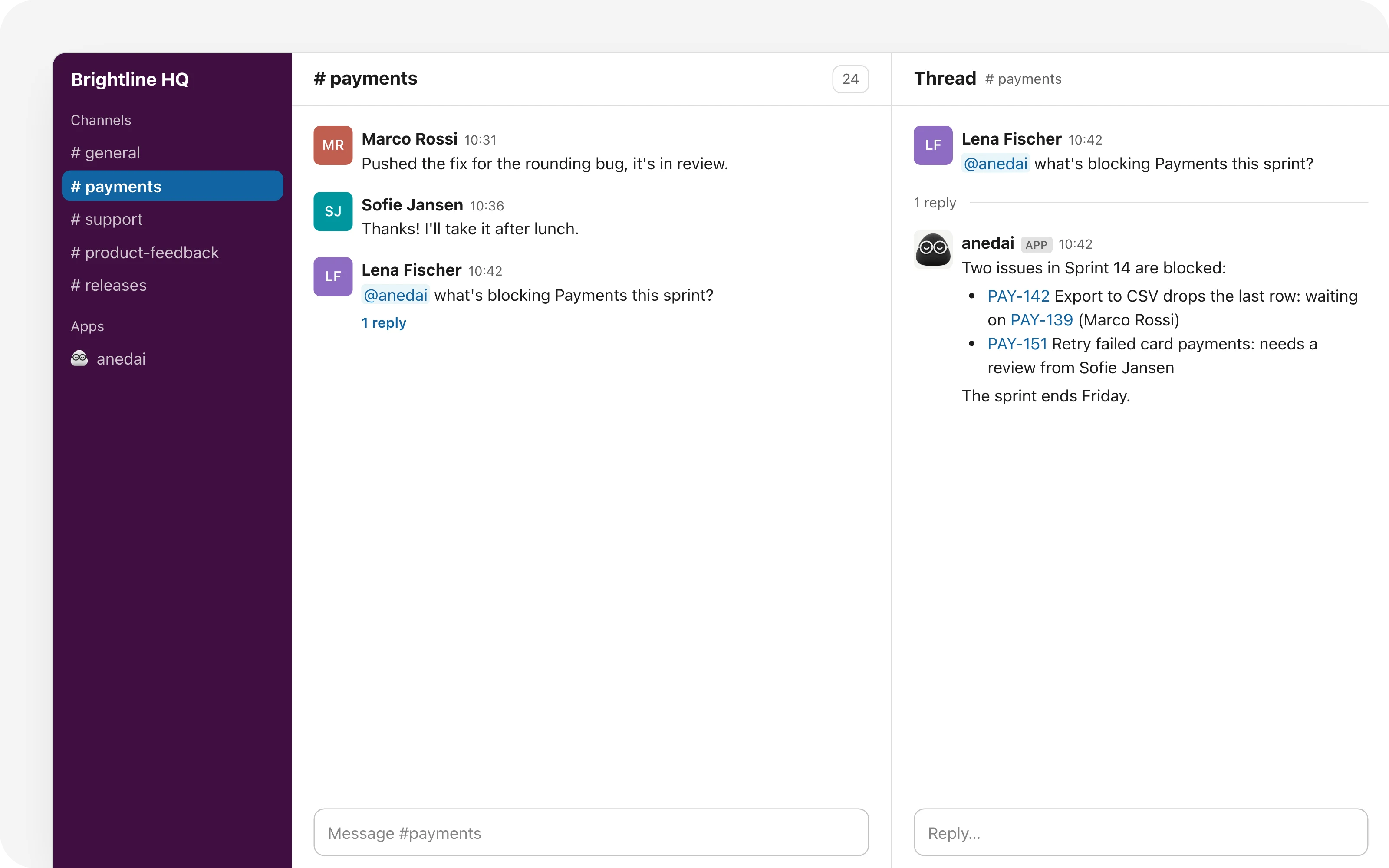
Ask @anedai in any Slack thread and it answers there, as you; and workflows post updates to your channels.
Why Slack
Why it saves time.
- 01
No tab switch for a quick answer.

“Who's on PAY-142?” gets answered where it was asked.
- 02
The right people hear about the right things.

A Bug from an Enterprise customer lands in #support the moment it comes in, with the link to it.
- 03
Nothing leaks.
Answers run as the person asking, with exactly their access.
- 04
Set up once.
One admin connects it; everyone else just mentions @anedai.
What it does
Inside Slack.
- 01
Connect once

A workspace admin clicks Connect in Settings → Integrations and approves it in Slack. Nobody else sets anything up.
- 02
Ask in any thread
Mention @anedai in a channel, or send it a direct message. It answers in the thread, and replies there carry the conversation on.
- 03
Updates where the team already is
A workflow's “Post to Slack” step drops a message in the channel you pick, with the signal's or issue's title, customer and link filled in.
The details
Small things that add up.

It answers as you
Matched to your anedai account by email, so it sees only what you can: private teams stay private.

The thread remembers
Each thread is its own conversation; follow-ups don't need the @.

Problems that say how to fix them
A channel it can't post in, or a workspace that needs reconnecting, says so in the run.

Pick the channel, write the message
Channels come from your workspace; the message takes the same variables as any workflow step.
FAQ
Questions, answered.
Who sets it up?
A workspace admin, once: Settings → Integrations → Slack → Connect, then approve it in Slack. One Slack workspace connects to one anedai workspace.
What can @anedai see in Slack?
Exactly what the person asking can see in anedai. Their Slack account is matched to their anedai account by email; someone it can't match gets nothing.
Do I need to invite it to a channel?
To mention it there, yes: /invite @anedai. Workflows can post to public channels without an invite; a private channel shows up once @anedai is in it.
Does it use credits?
Yes, like @anedai in the app: each answer is an AI turn on the workspace's credits.
Connected
Works with
- WorkflowsRules that run on their own: when something happens to a signal or an issue, if it matches, do the next steps.
- Ask anedaiAn AI assistant on every page that reads and changes your real workspace.
- SignalsOne inbox for customer feedback, support email and production errors, with duplicates linked and demand counted.


One connected product memory for the people and AI building your product.
Bring your tools, your docs and your team. AnedAI keeps the story between them.