MCP

Your coding agent already knows the work.

Connect Claude Code, Cursor or ChatGPT to AnedAI. Your agent reads the issue, the plan and the customers behind it.
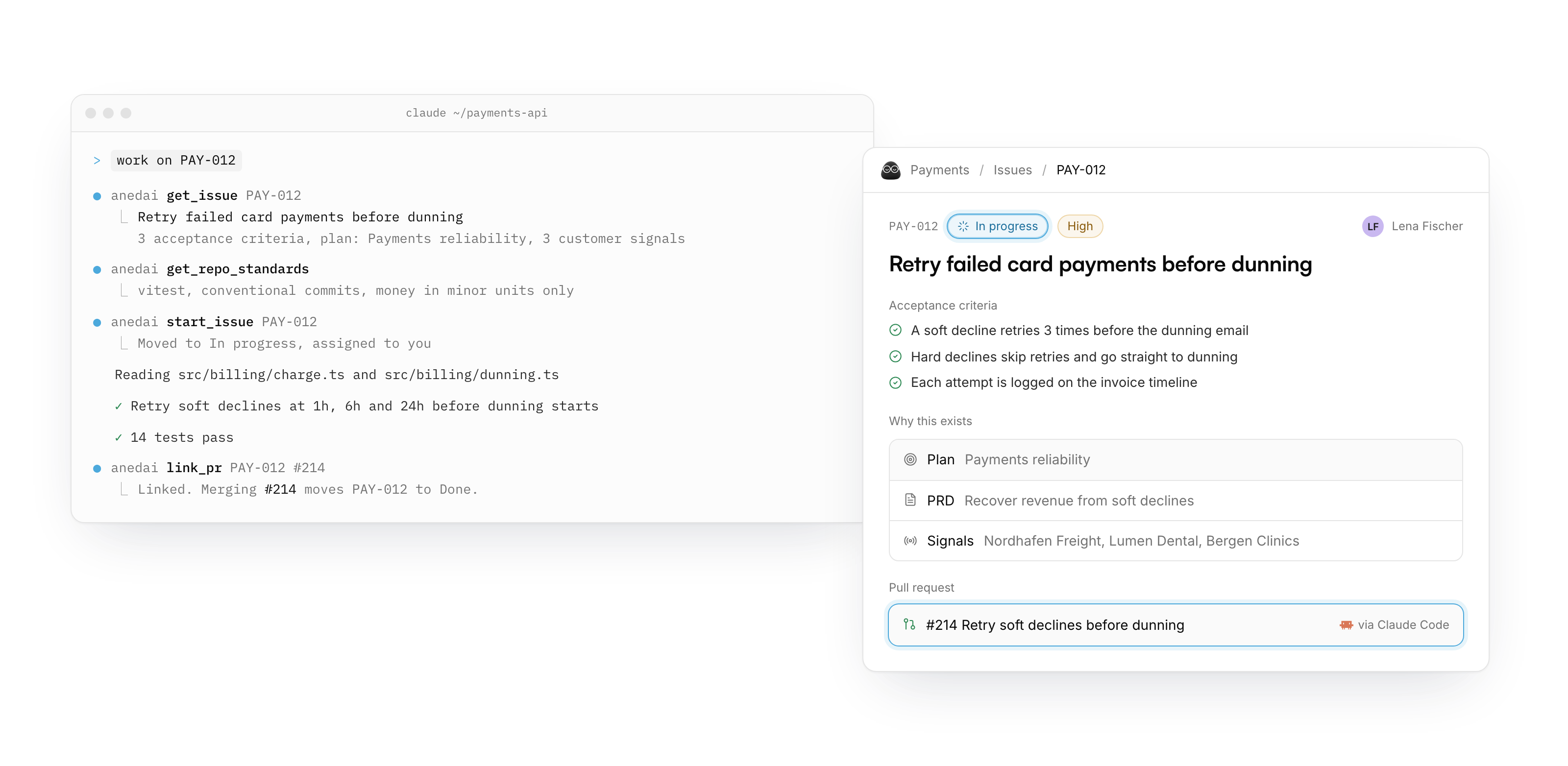
Claude Code running "work on PAY-012": it reads the issue from AnedAI, starts it, writes the fix and links pull request #214. Beside it, the PAY-012 issue in AnedAI, now In progress, with its plan, PRD, customer signals and the linked PR.

Works where you already work

AnedAI connects to Claude Code, Claude, ChatGPT, Cursor, VS Code and Perplexity.

Three moments

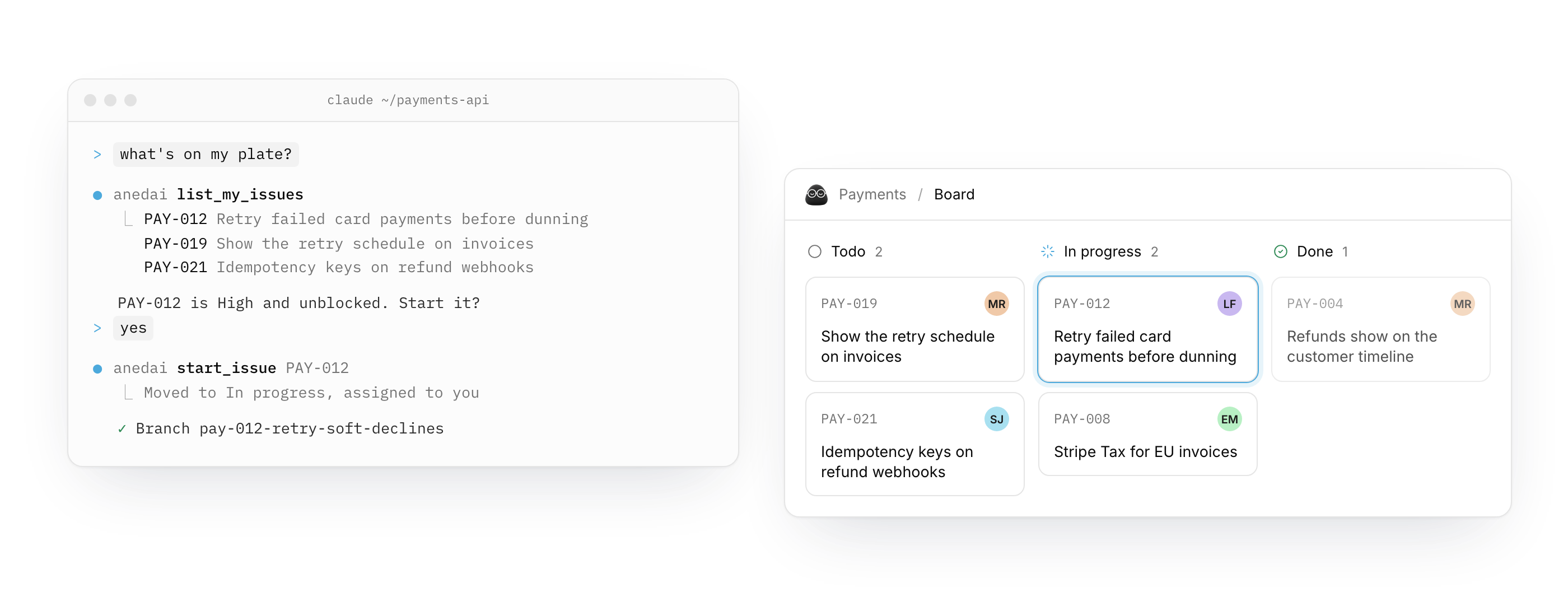
The agent runs list_my_issues and start_issue. On the AnedAI board, PAY-012 sits in In progress.

Docs and databases, from the editor

Read and edit docs, query a database, add rows, or change its columns and views. Ask for a board grouped by status and that's what you get.
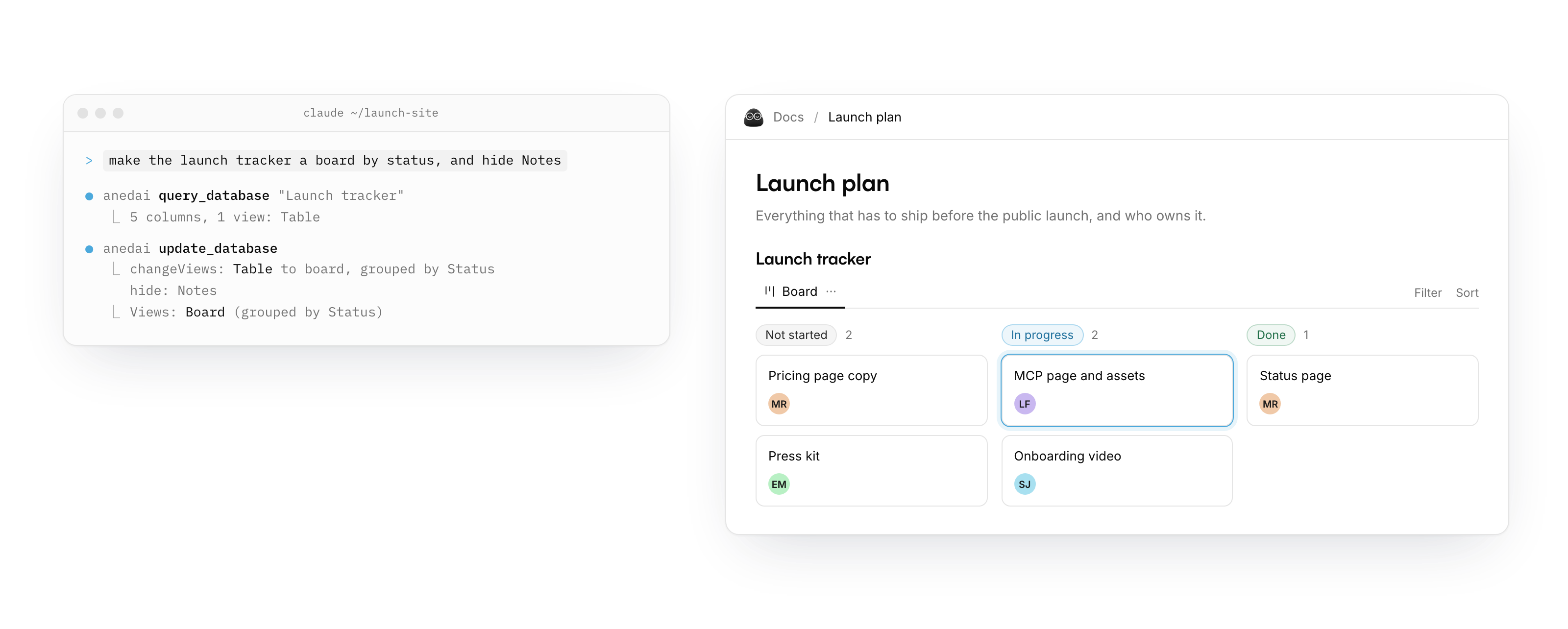
The agent runs update_database to turn the Launch tracker into a board grouped by Status. In the AnedAI doc, the tracker shows Not started, In progress and Done columns.

Set up in a minute

Add the server and sign in. No token to copy or keep secret.

Server URL

https://app.anedai.com/api/mcp

Run in a terminal, then /mcp → anedai → Authenticate.

claude mcp add --transport http --scope user \
  anedai https://app.anedai.com/api/mcp
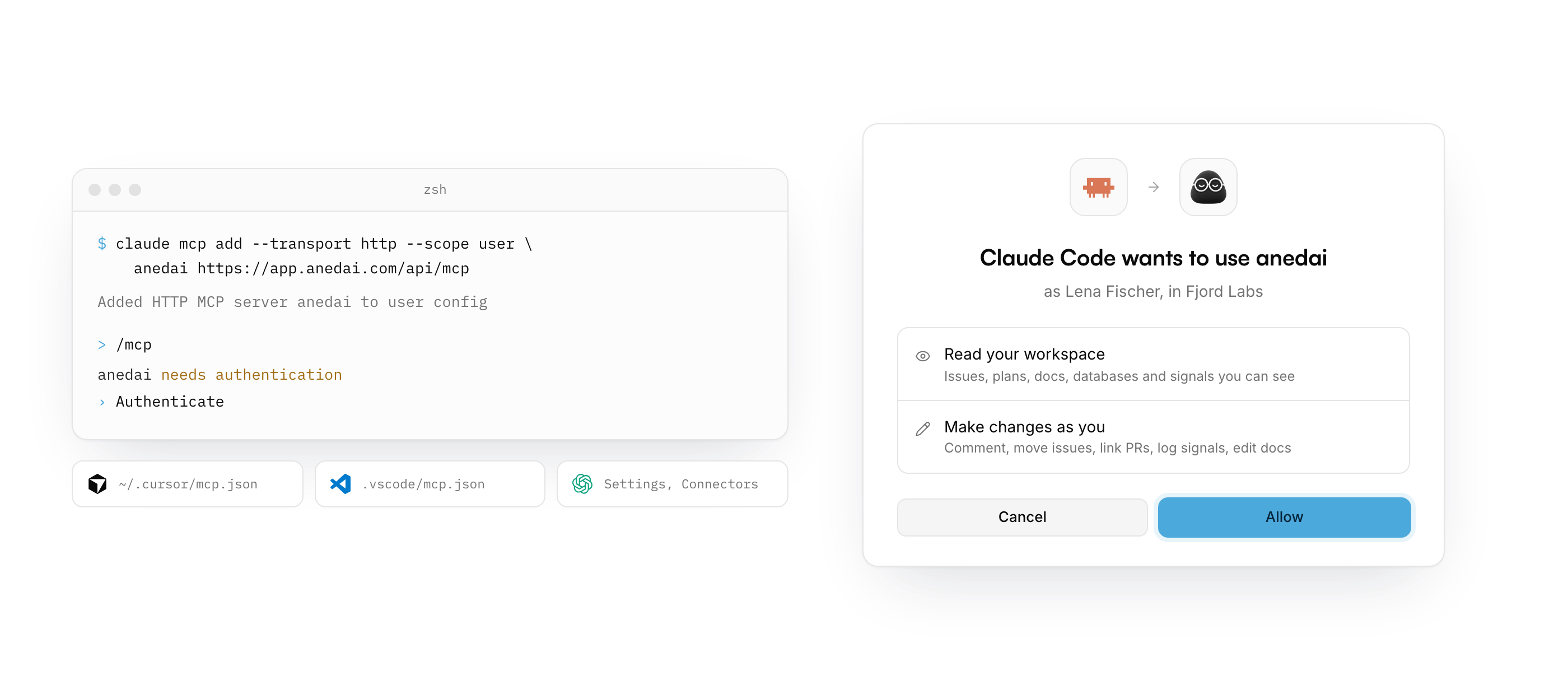
The claude mcp add command in a terminal, then AnedAI's consent screen: "Claude Code wants to use anedai", with Read your workspace and Make changes as you, and an Allow button.

It acts as you, with your access

An agent sees only what you can see. Make any app read only, or disconnect it, from Settings.
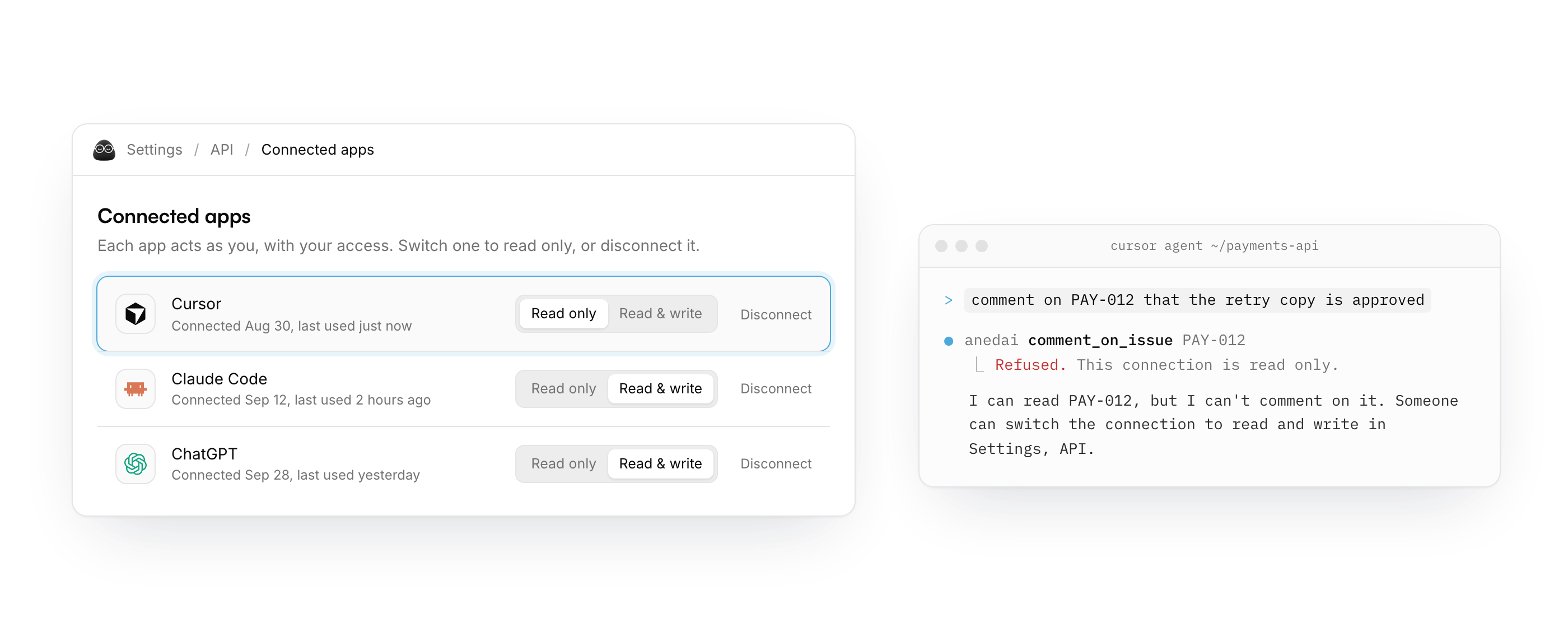
Settings, API, Connected apps: Cursor is set to Read only. In the terminal, the agent's comment on PAY-012 is refused because the connection is read only.

Give your agent the context