Issues, sprints and projects
A tracker where every issue knows why it exists.
A complete tracker built into the plan, so every issue knows why it exists and every sprint shows what it's really moving.
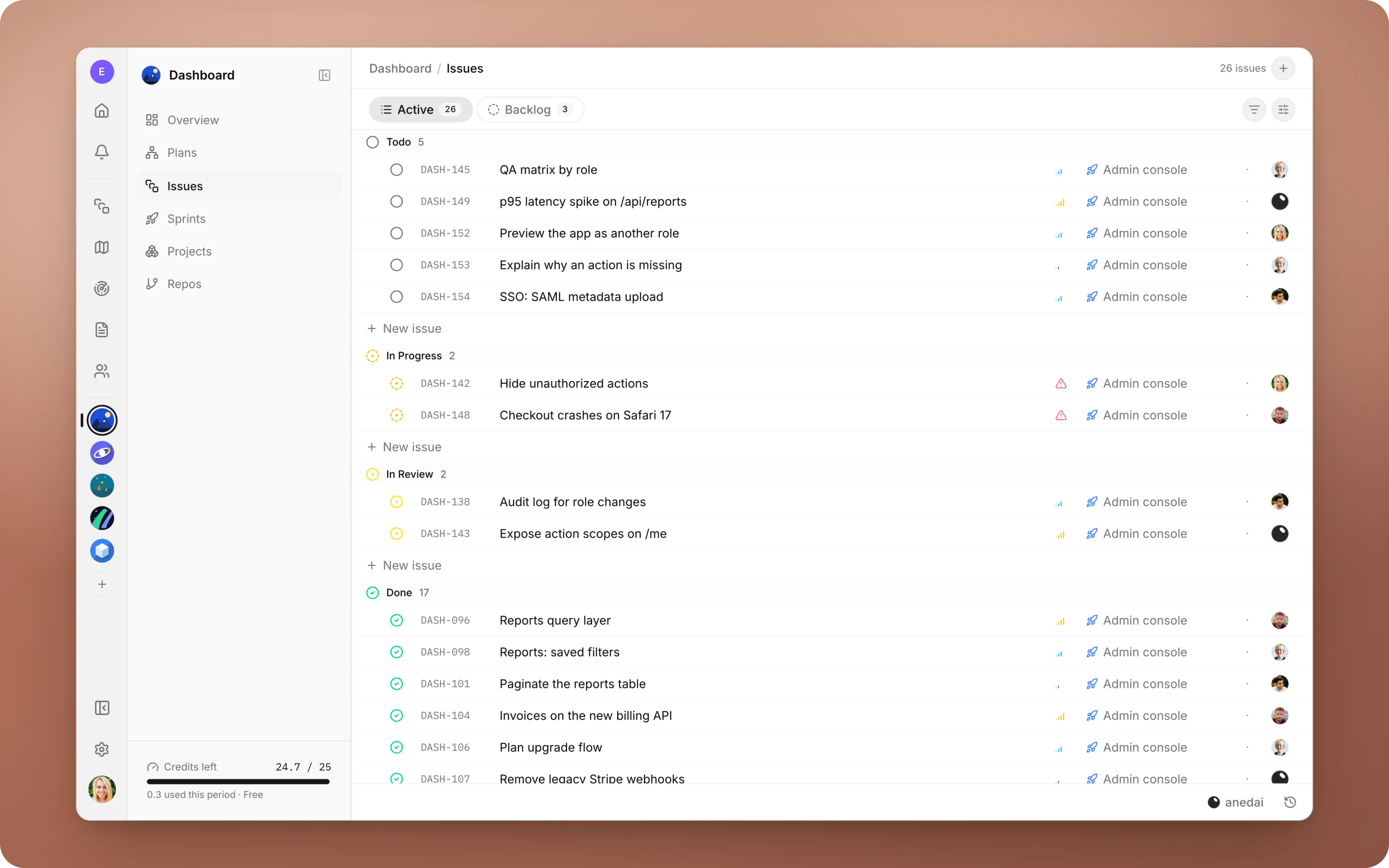
Why Issues
Why it saves time.
- 01
The “why” is on every issue.
Issues hang off capabilities in the plan, so the goal and the customers behind the work are one click away. No separate spec to hunt down.
- 02
Status moves itself.
Opening a pull request moves an issue to In Review, and merging moves it to Done. No one updates the board by hand afterwards.
- 03
Routine work goes to the AI.
The long tail gets assigned to Aned AI, and your team reviews a pull request instead of writing it.
- 04
Blockers are respected.
Dependencies are real data, so work doesn't start, by a person or by the AI, before what it depends on is finished.
- 05
One tracker, not two.
Plans, signals and the board all share the same issues, so nothing has to be kept in sync.
What it does
Inside Issues.
- 01
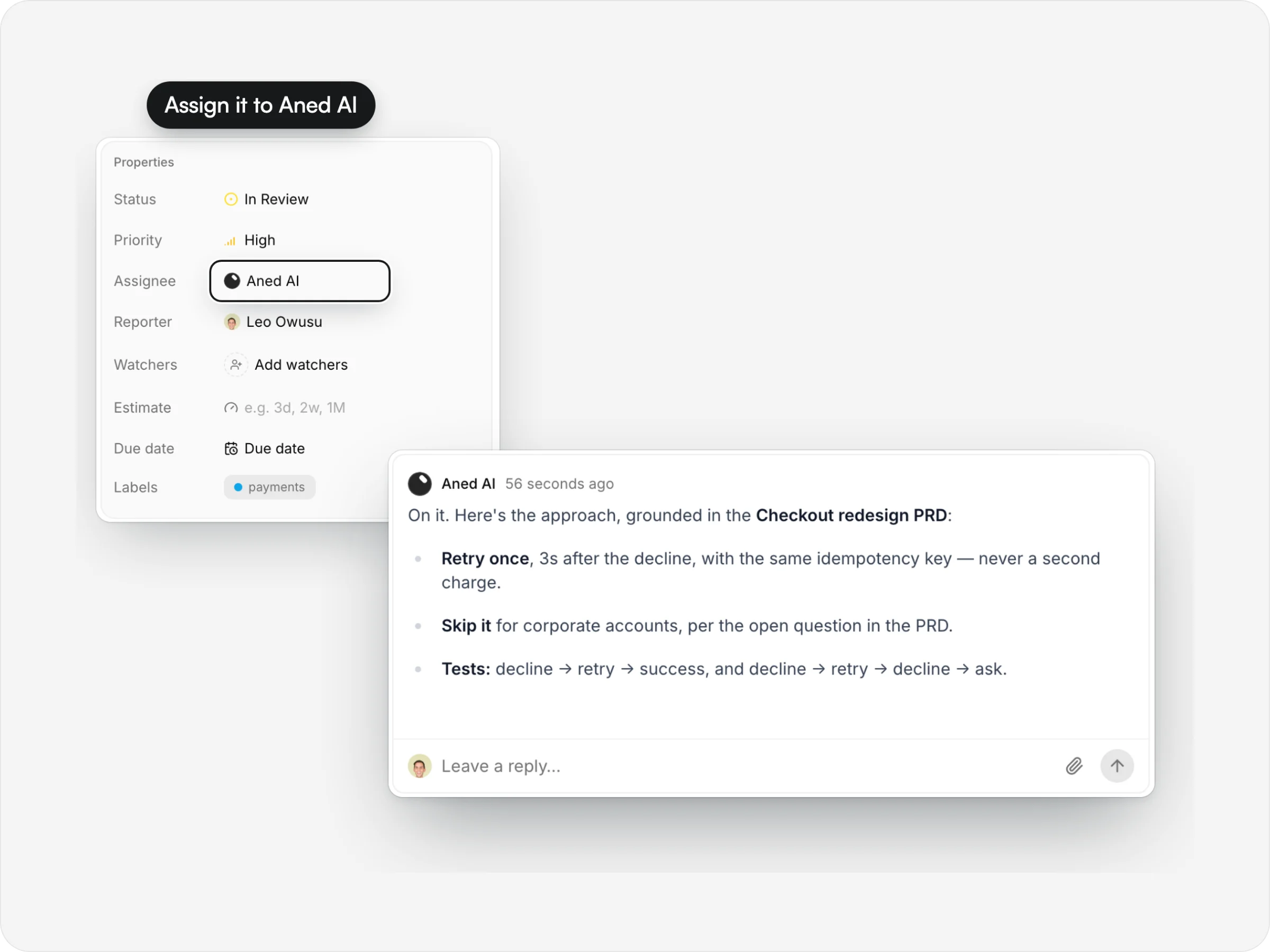
Hand it to Aned AI
Assign an issue and the agent posts its approach, grounded in your plan and docs, then builds, tests and opens the pull request.
- 02
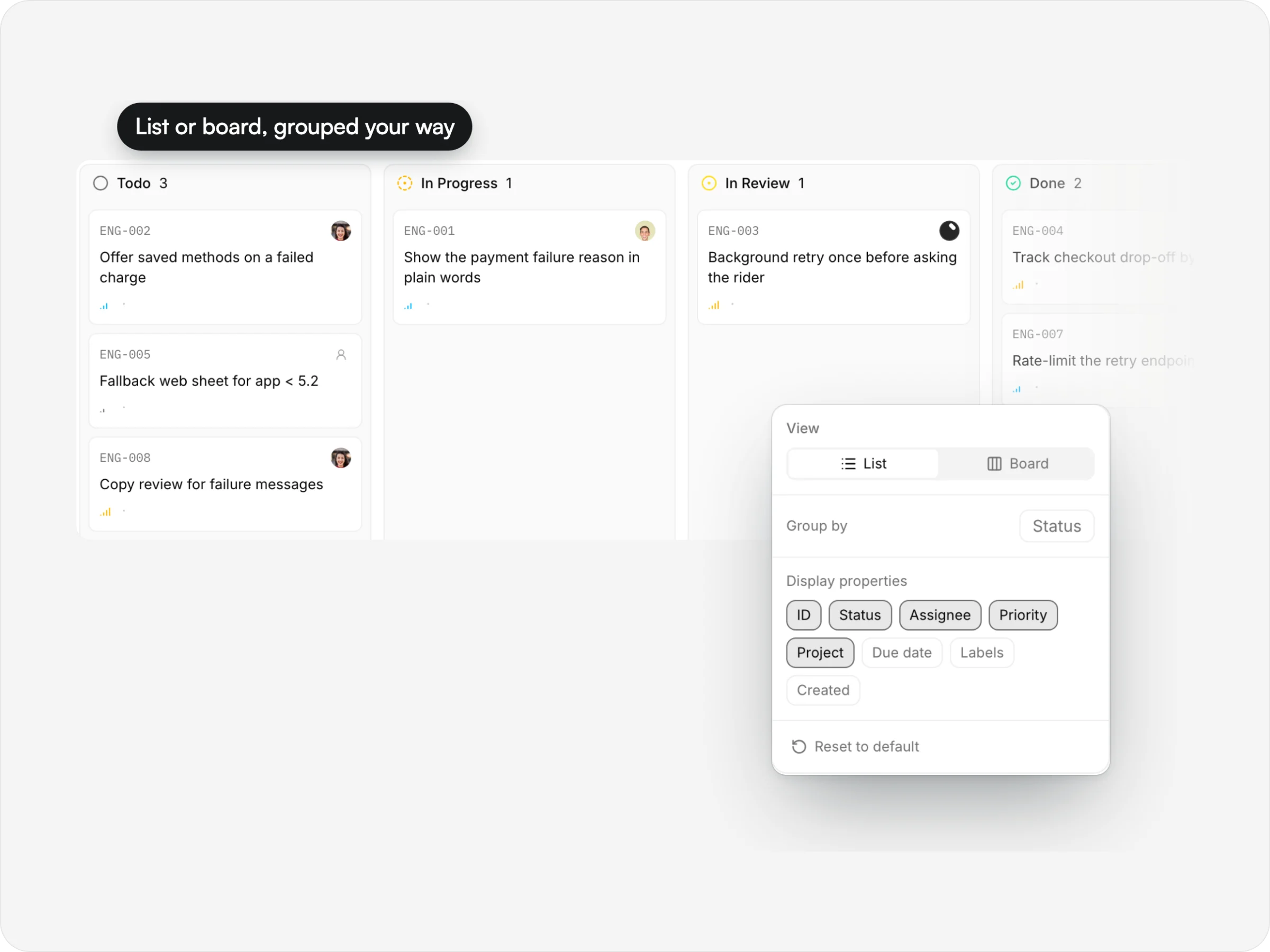
Your view, your grouping
Switch between list and board, group by status, assignee, priority, label or project, and choose which properties show.
- 03
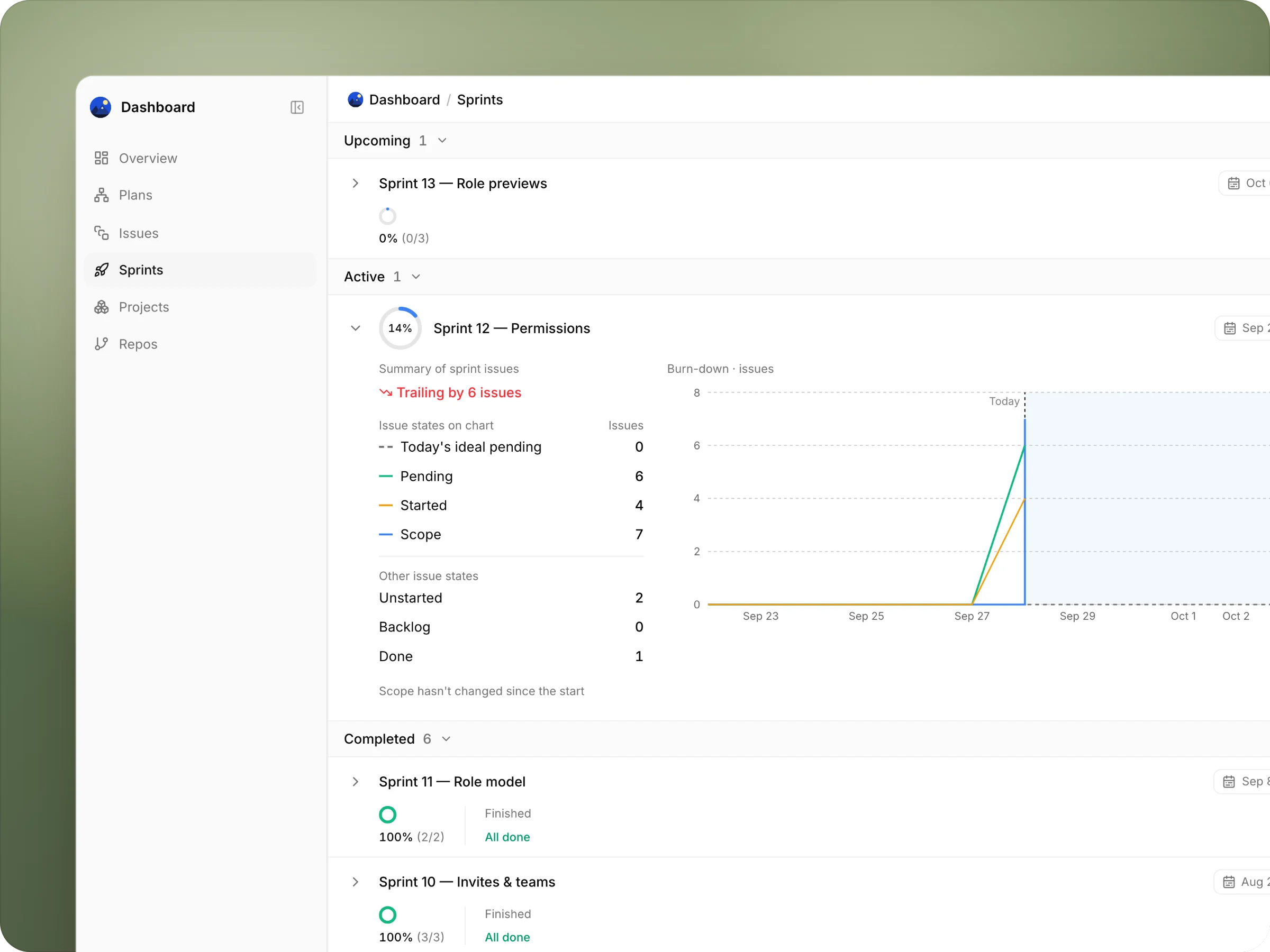
Sprints that show how it's going
Each sprint with its progress ring, scope change and pace; open one for the burn-down against the ideal line.
anedai AI
AI that knows your tracker.
The anedai chat answers from your live issues and sprints, and it can change them. It knows which page you're on, so “this” means what you're looking at.
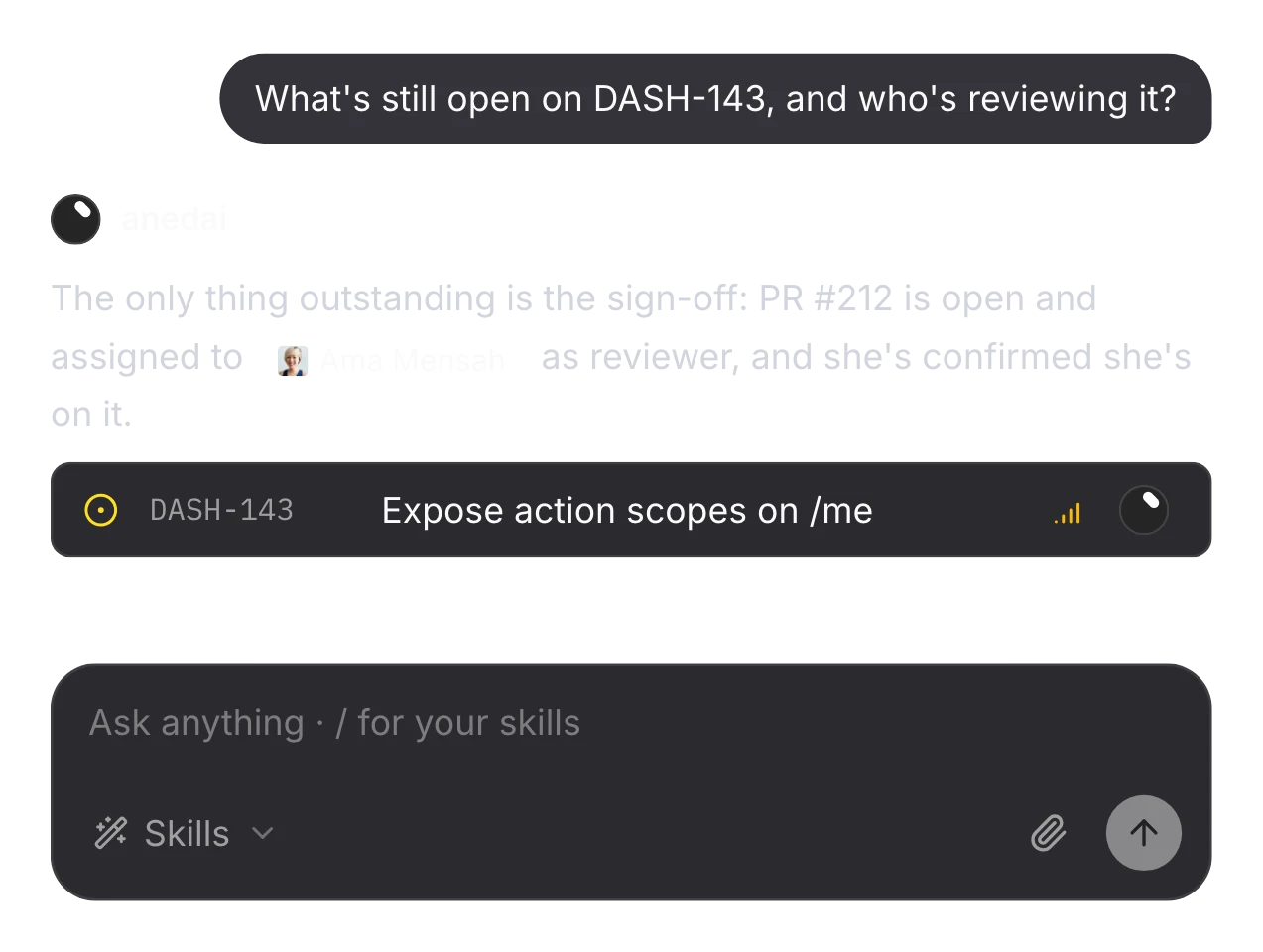
Ask in plain words
“What's still open, and who's reviewing it?” is one question, not five clicks across three pages. It reads the issue, its pull request and its reviewer.
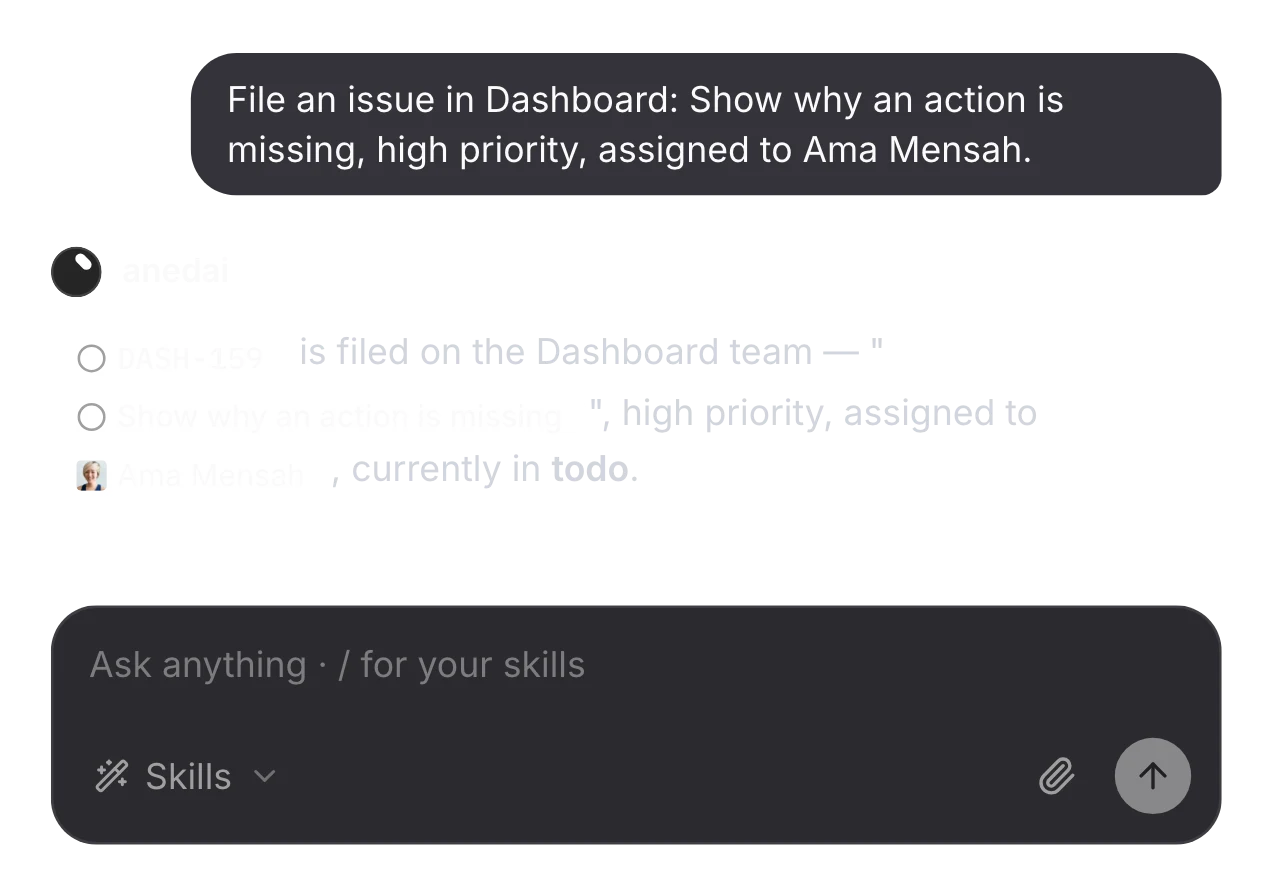
Changes in a sentence
Filing an issue, assigning it or setting its priority is a request, not a form.
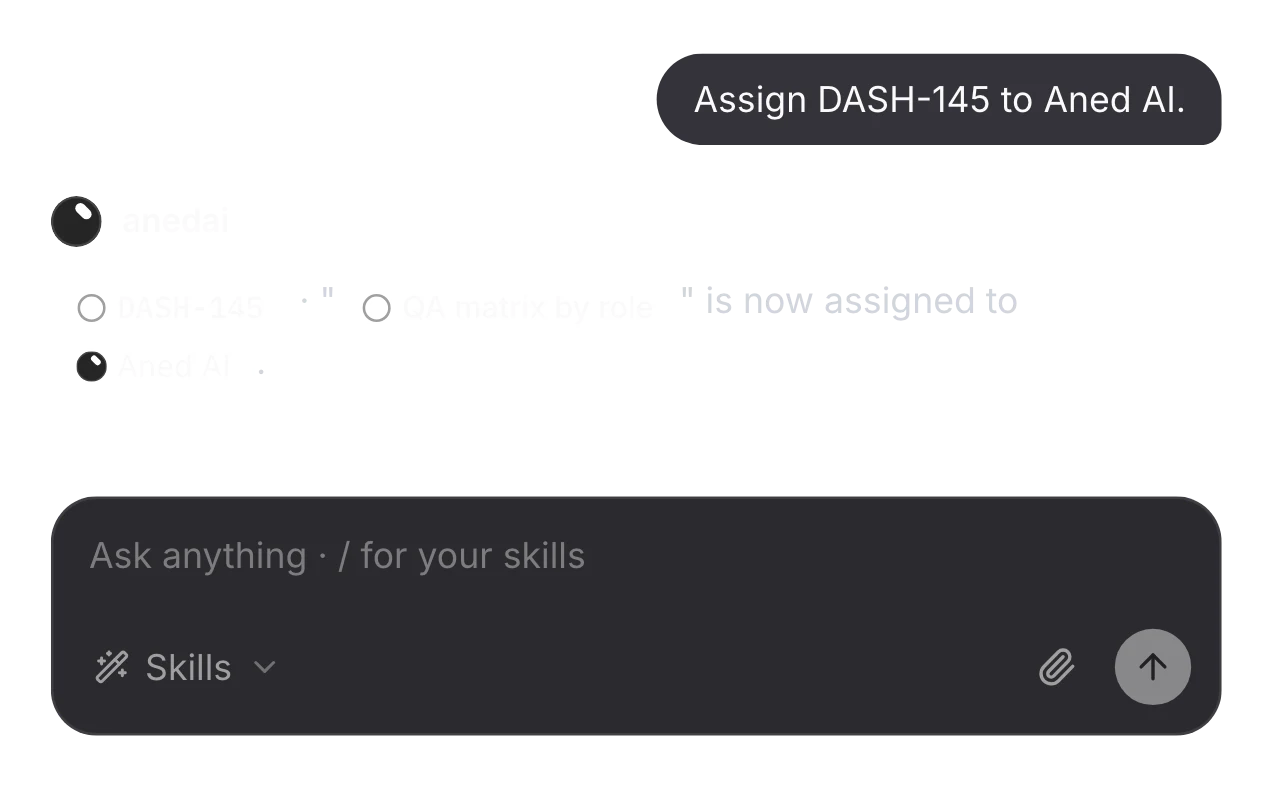
Hand it to Aned AI from the chat
One sentence assigns an issue to the agent. No form, no board.
The details
Small things that add up.
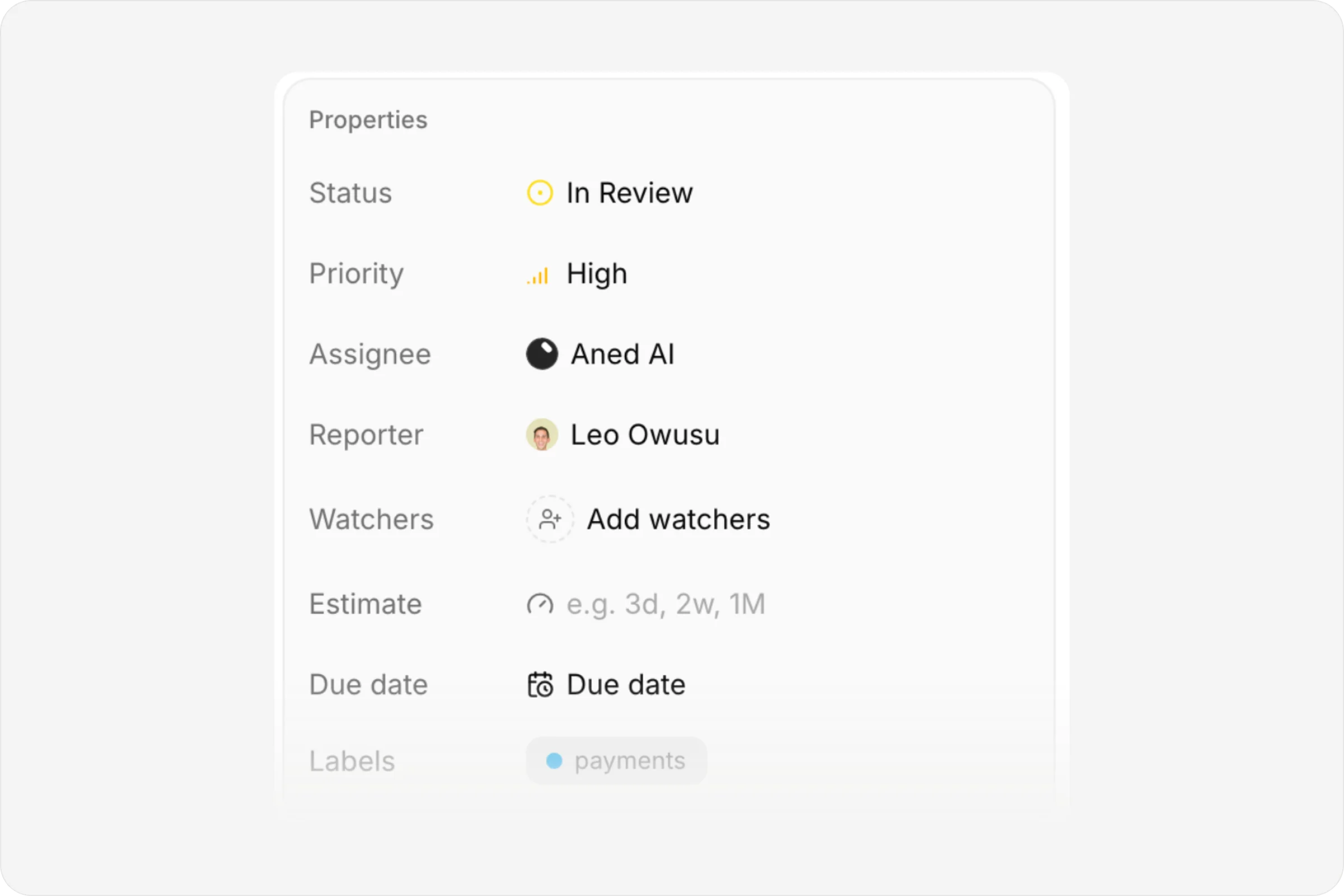
Every property in one place
Status, priority, assignee, labels, estimate and dates.
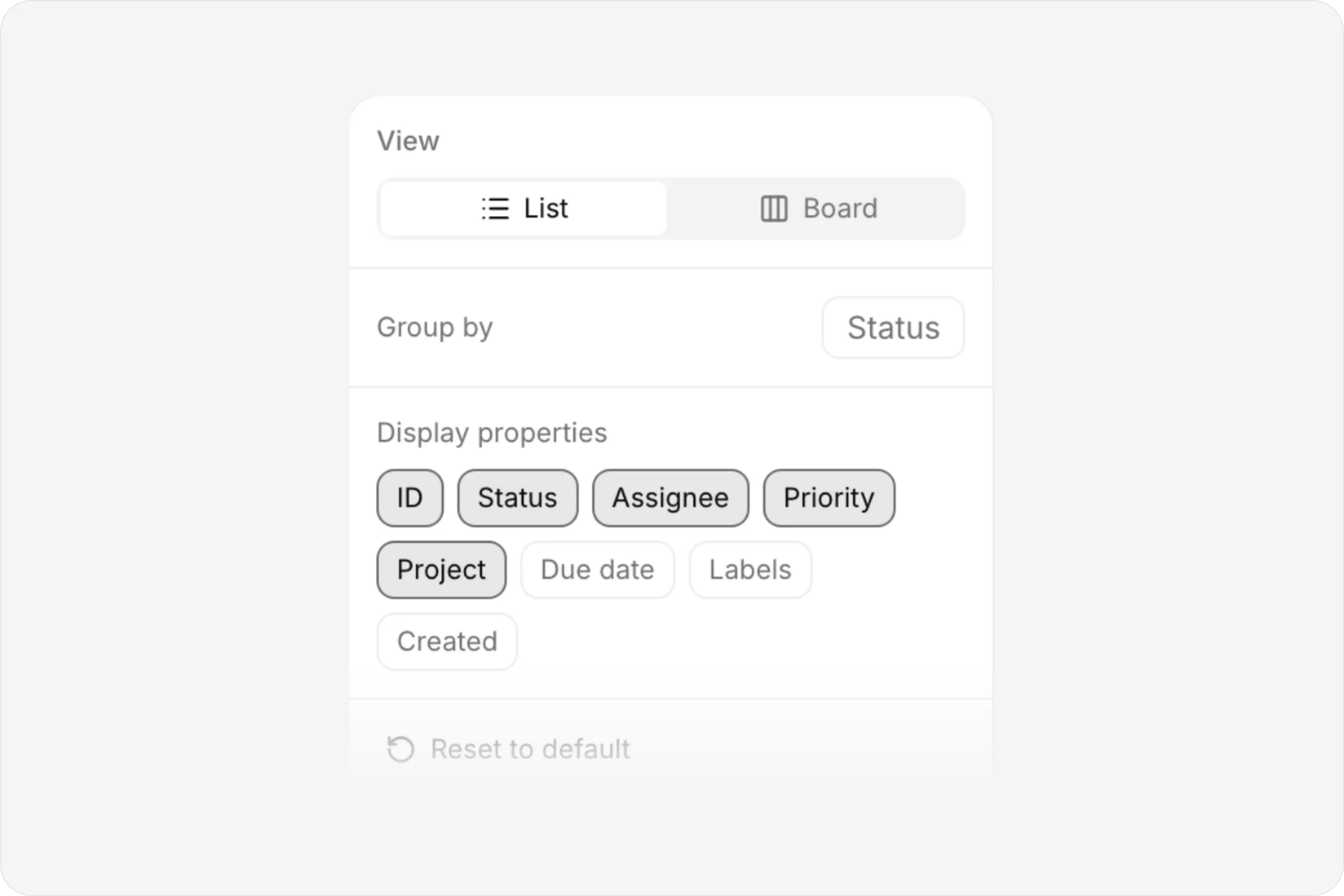
Display settings
List or board, grouping and visible properties.
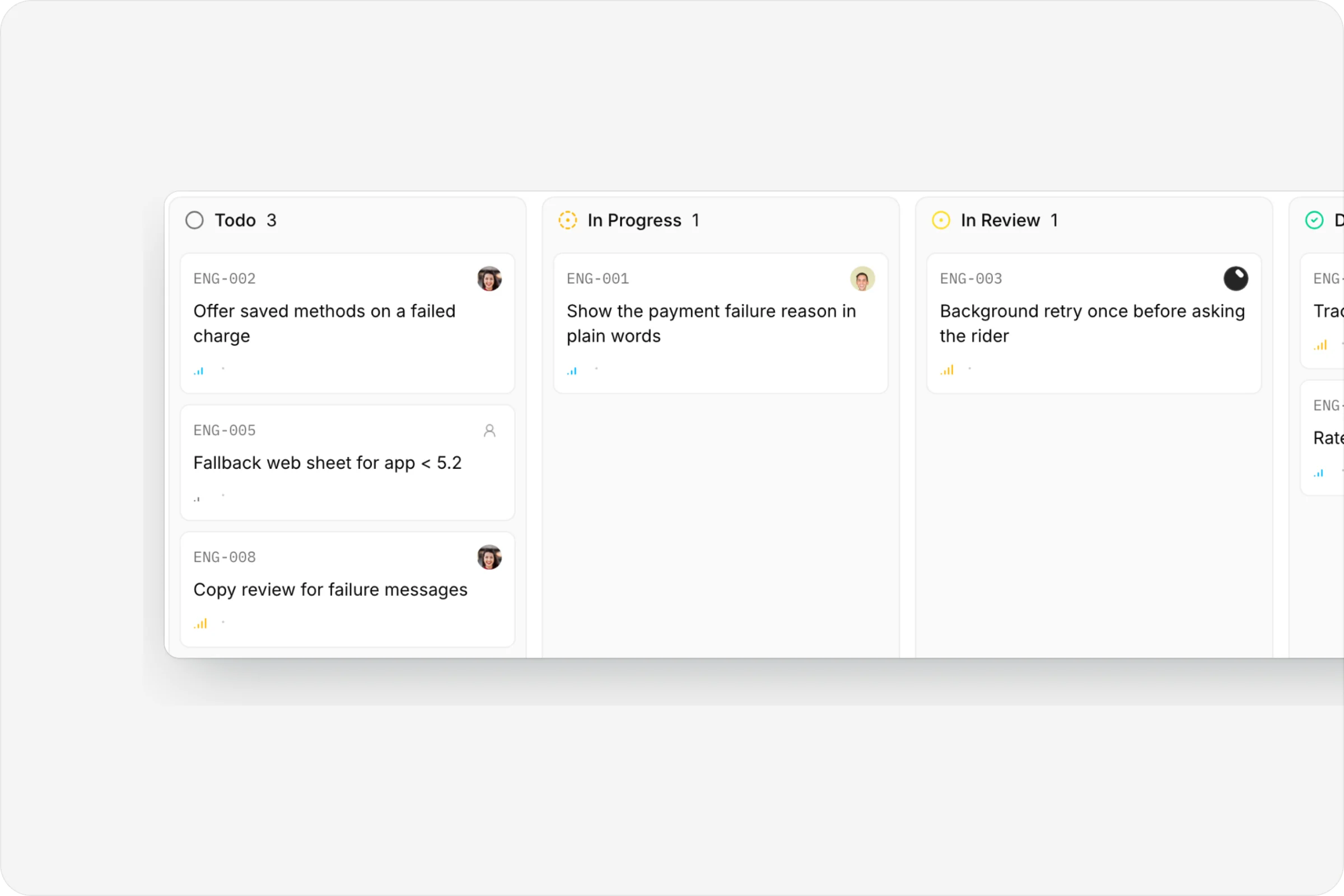
A real board
Drag issues across statuses.
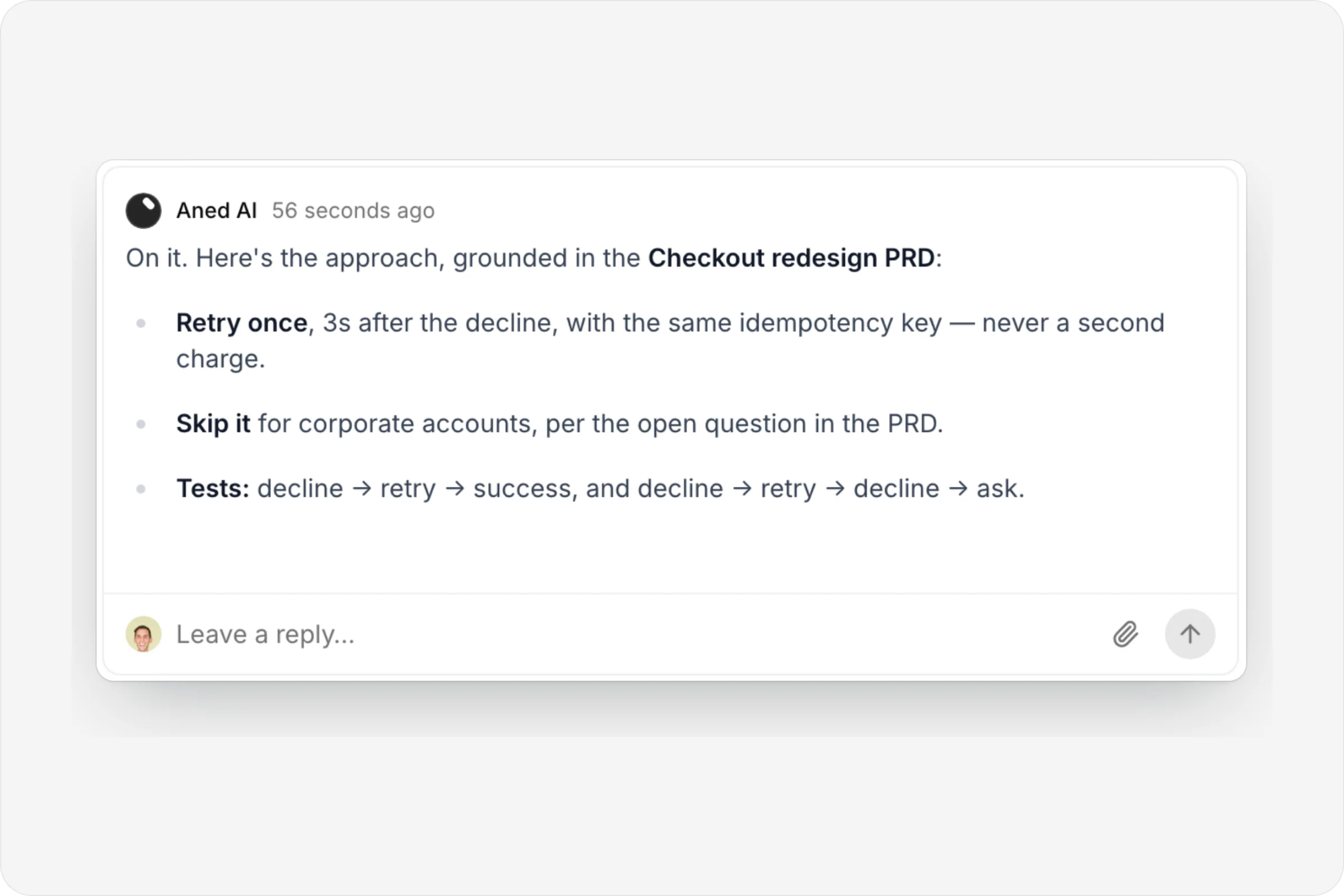
The AI shows its work
Its approach, as a comment, before any code is written.
FAQ
Questions, answered.
Do I have to update issue status by hand?
No. Opening a pull request moves an issue to In Review, and merging it moves the issue to Done.
Can I approve the AI's plan before it writes code?
Yes. The agent always posts its approach first, and if your repository requires approval it waits until someone reacts 👍 or replies “go”.
What happens to a blocked issue?
It waits. An issue that's Blocked by others doesn't start, by a person or by the AI, until what it depends on is finished.
What happens to unfinished work when a sprint ends?
When you complete a sprint, you choose where its unfinished issues go.
Can I bring in existing issues?
Yes. Import issues brings existing work into AnedAI.
Connected
Works with
- PlansA live map from goal to capability to contract to issues, with decisions, history and a generated PRD.
- AI buildAssign an issue to Aned AI and get a pull request, or build alongside it in a cloud sandbox.
- RoadmapCapabilities on a timeline, with status that updates itself from the work.
- DocsNotion-style pages with private and shared spaces, live co-editing and inline comments.


One connected product memory for the people and AI building your product.
Bring your tools, your docs and your team. AnedAI keeps the story between them.