Production error intake
Errors, in the same inbox as customers.
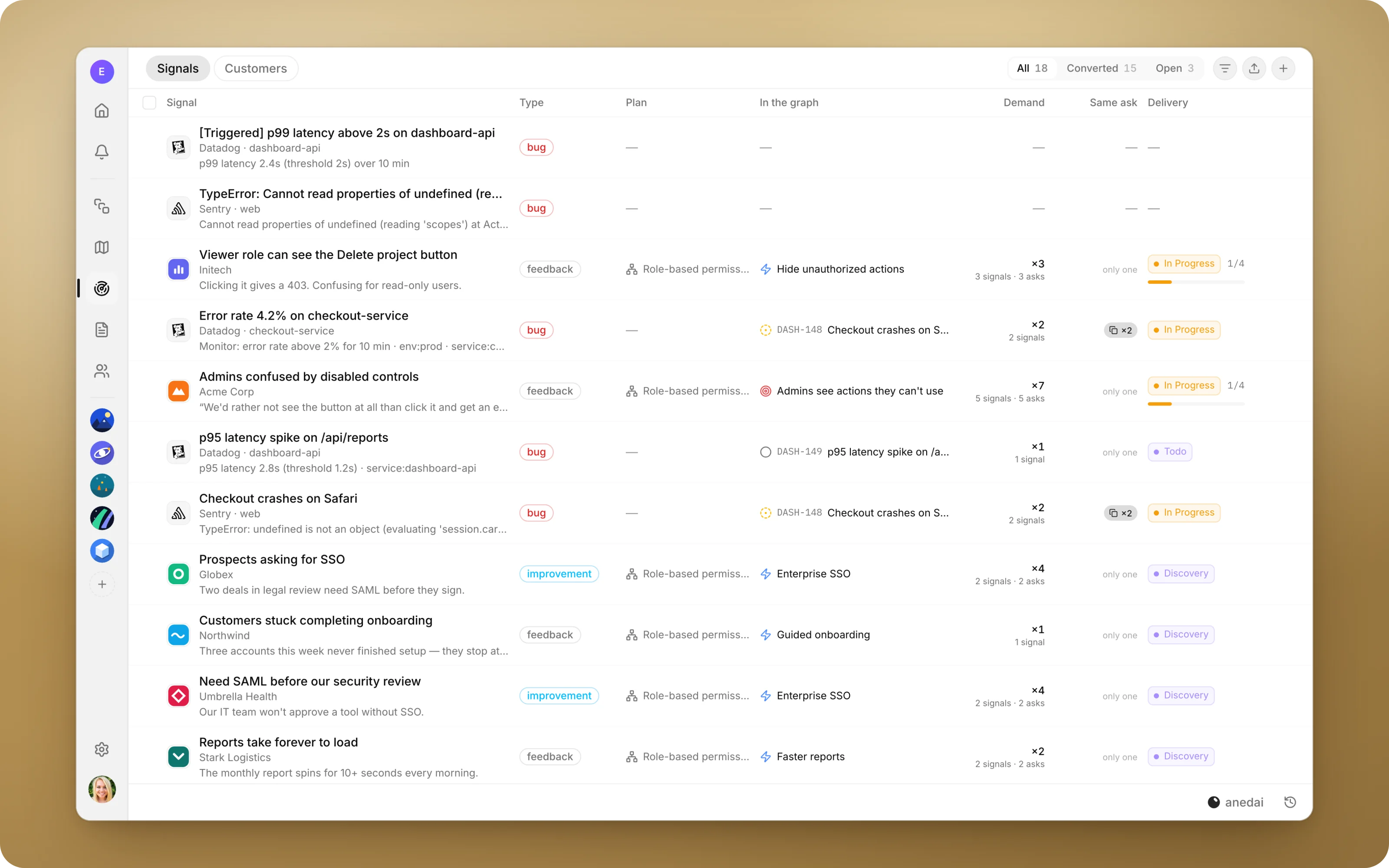
Errors from Sentry, Datadog and Better Stack arrive as bug signals, one per error rather than one per occurrence, right next to what customers are saying.
Why Production errors
Why it saves time.
- 01
One inbox, not two.
Engineering alerts and customer complaints about the same problem show up together, instead of in separate tools with separate owners.
- 02
No alert floods.
A crash firing a thousand times is one signal with a count, not a thousand rows.
- 03
Evidence travels with the fix.
The stack trace, release and affected-user count are on the signal, and stay attached when it becomes an issue.
- 04
Real priority.
Affected users feed the same demand counting as customer asks, so a noisy error and a loud customer can be compared honestly.
What it does
Inside Production errors.
- 01
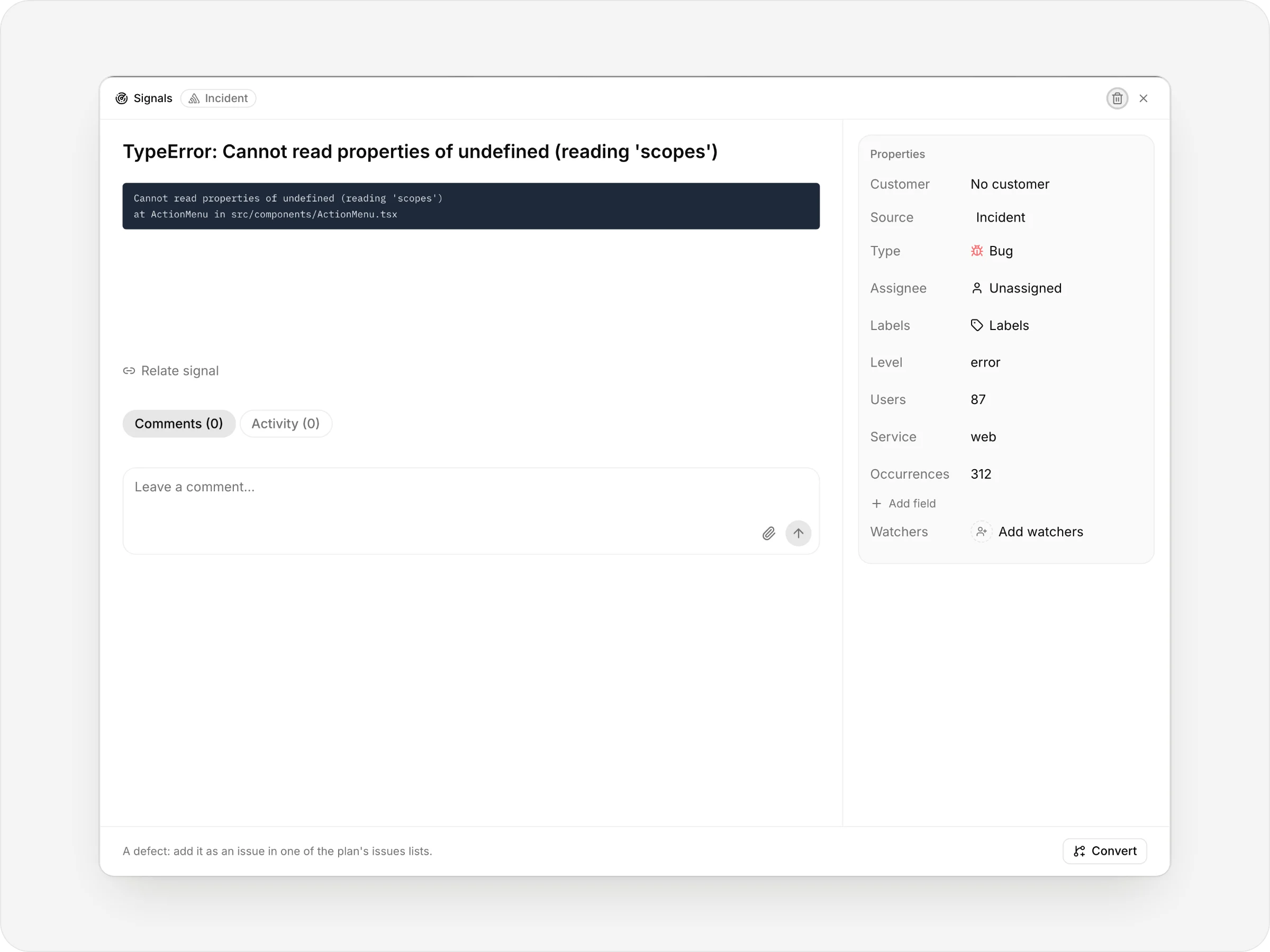
One signal per error
A Sentry error arrives as a bug signal with its level, users, service and occurrences, and the stack in the body.
- 02
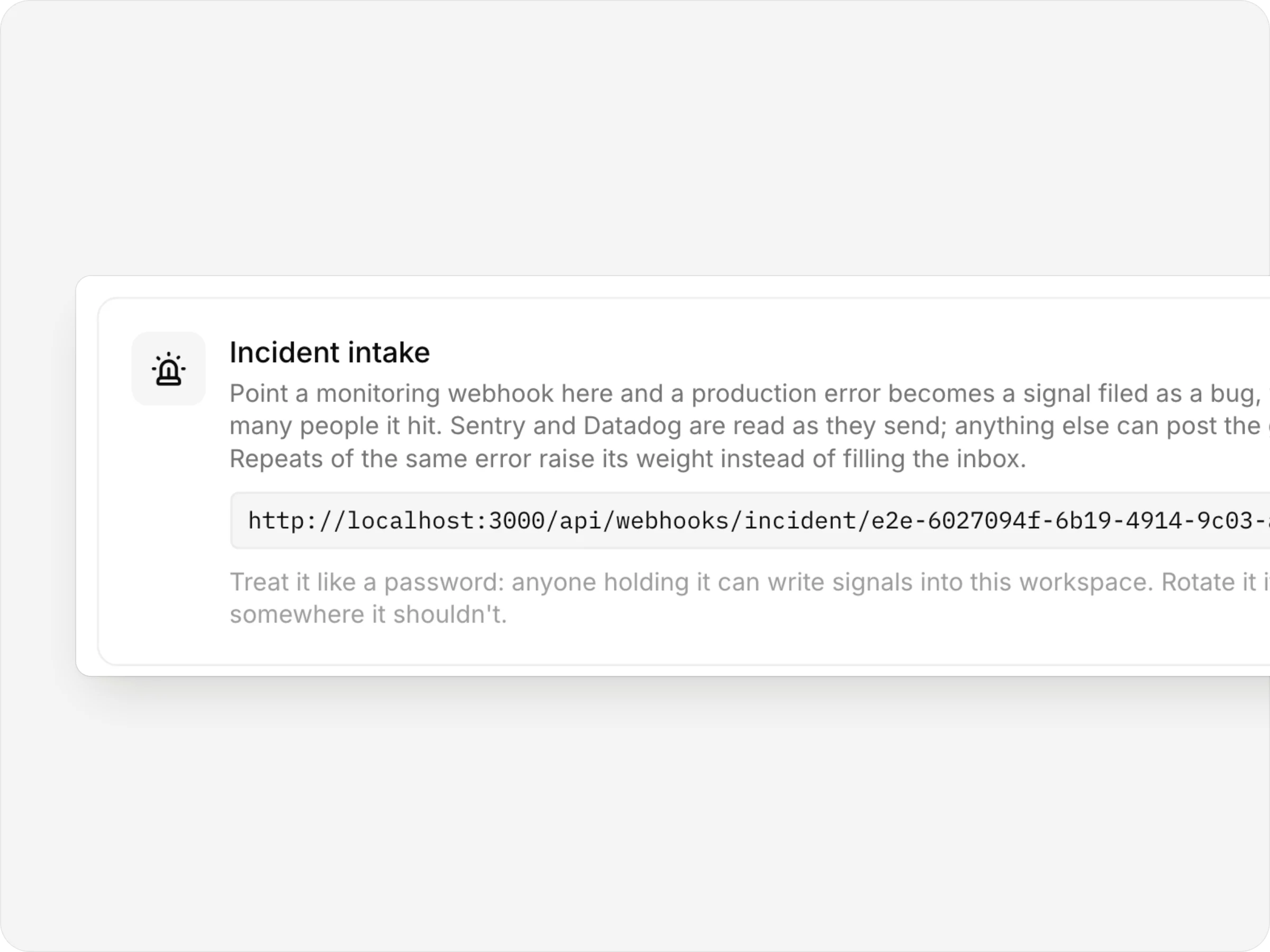
One URL to connect
Point Sentry, Datadog or Better Stack at your workspace's intake URL.
Connected tools
Your error tracker, one URL away.
Sentry, Datadog and Better Stack payloads are read natively. Any other tool can post a simple, documented JSON format.


- One signal per errorNot one per occurrence
- The stack attachedRelease, level and users as fields
- Your triage keptTracker status changes are ignored
- Beside customer feedbackLinked as the same ask
FAQ
Questions, answered.
Which tools does it read?
Sentry, Datadog and Better Stack payloads are read natively. Any other tool can post a simple, documented JSON format.
Does a repeating error create a new signal each time?
No. The tracker's grouping key decides what counts as the same error. Repeats raise the signal's weight and log an occurrence, and repeats that add nothing new within a minute are ignored.
Will the tracker overwrite our triage?
No. Status changes from the tracker, such as resolve and assign, are ignored, so your triage state in AnedAI isn't overwritten.
Are errors turned into work automatically?
No. A person decides whether an error becomes an issue, which plan it belongs to and how urgent it is.
What if the intake URL leaks?
Rotate the URL to issue a new one. Opening it in a browser tells you whether the token is valid.


One connected product memory for the people and AI building your product.
Bring your tools, your docs and your team. AnedAI keeps the story between them.