Documents
The thinking behind the work, next to the work.
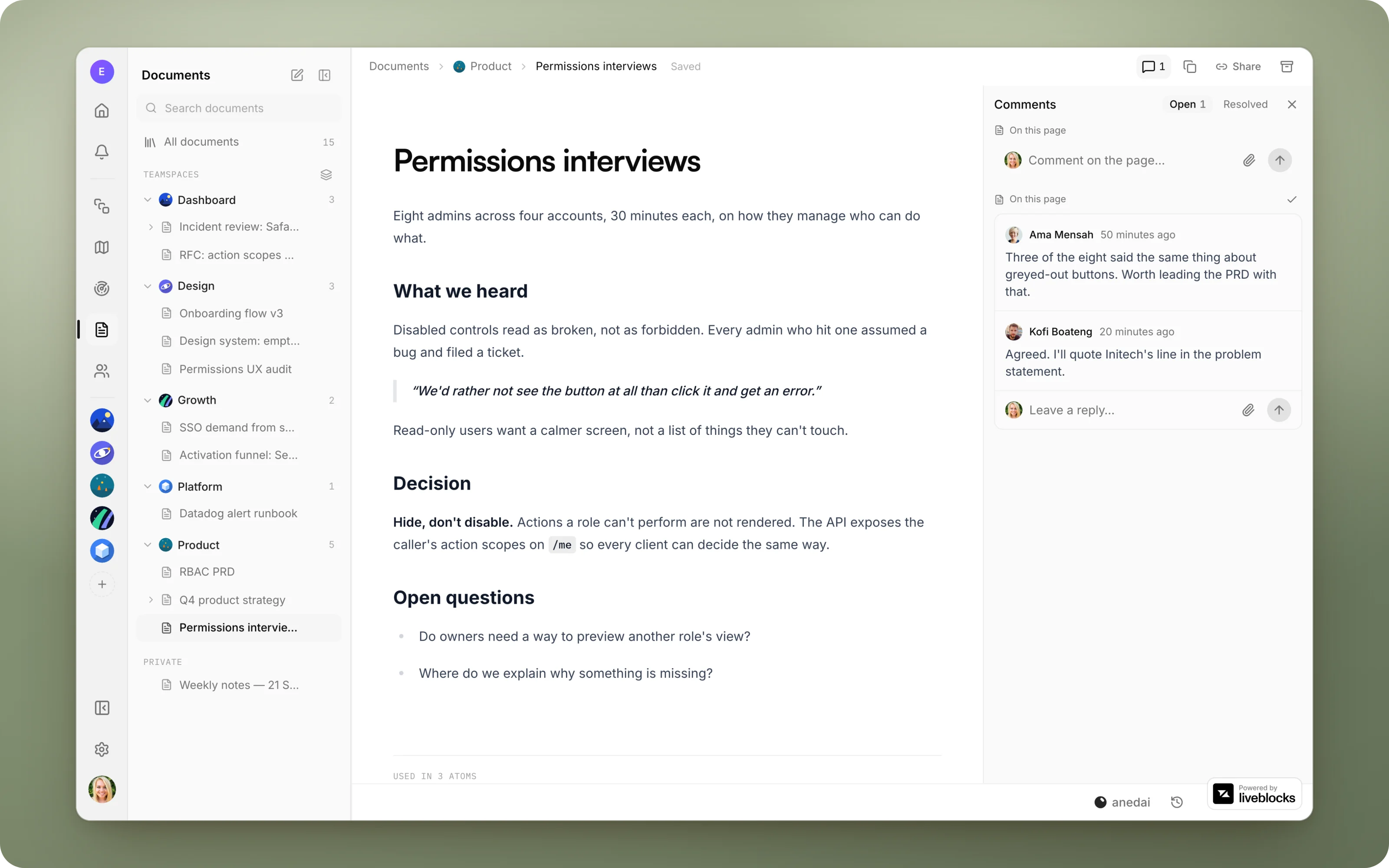
Notion-style pages for PRDs, specs, research and notes, organised into Recents, Teamspaces, Private, Shared and Archived, with live co-editing and inline comments.
Why Docs
Why it saves time.
- 01
One place for the thinking and the work.
Specs sit next to the plan and the issues they describe, not in a separate wiki someone has to keep in sync.
- 02
No “who has edit access?”
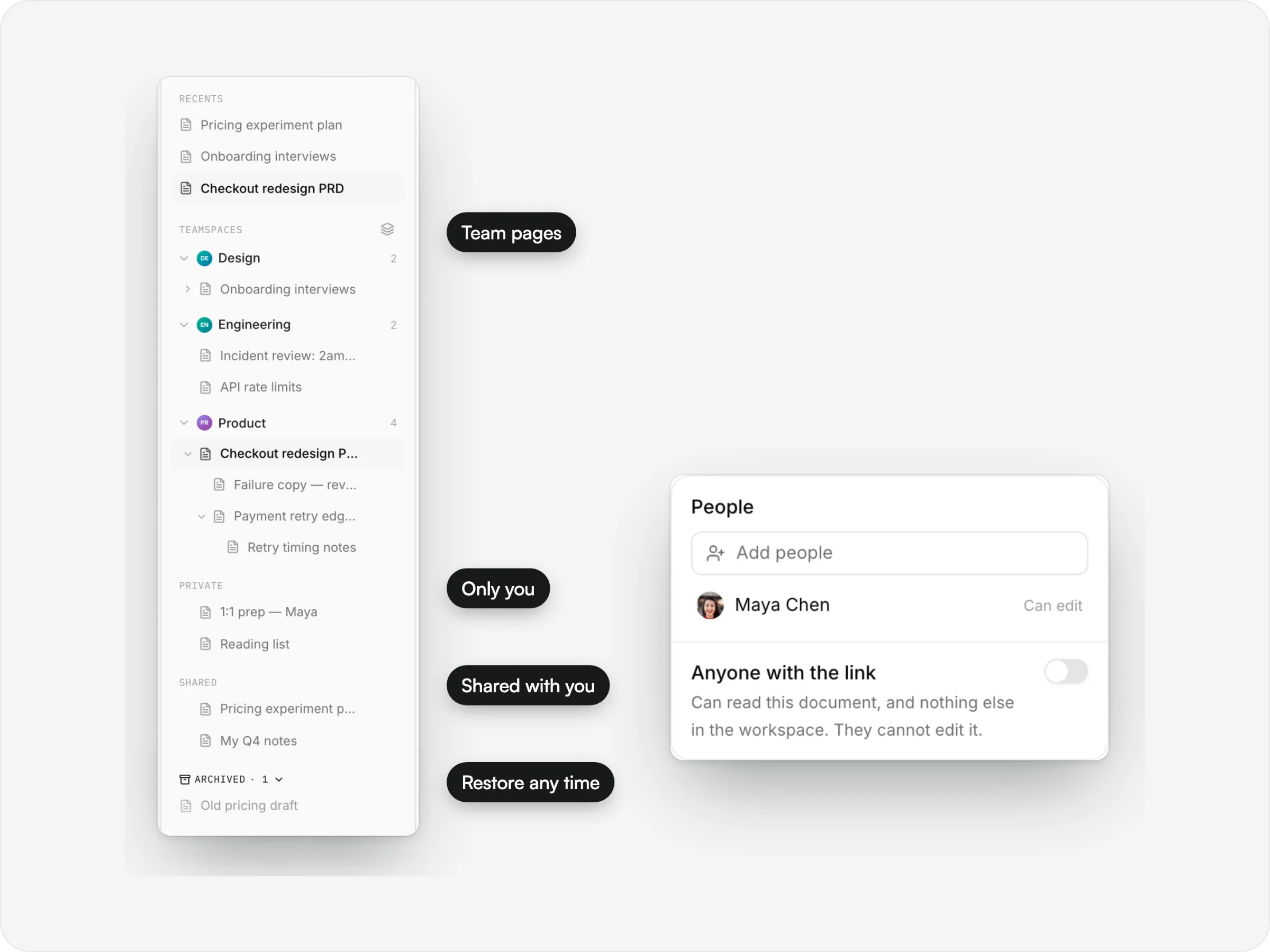
Team pages are open to the team, and private pages are shared with exactly the people you pick, sub-pages included.
- 03
Review in the document.
Comments sit on the exact passage they're about, so a review happens in the doc rather than in a separate thread.
- 04
Nobody overwrites anybody.
Live co-editing merges everyone's changes as they type, and shows who's there.
- 05
The AI does the first draft.
Ask for a PRD or a report, and it writes it from the real plan, roadmap and signals. Then refine it together.
What it does
Inside Docs.
anedai AI
The AI does the first draft.
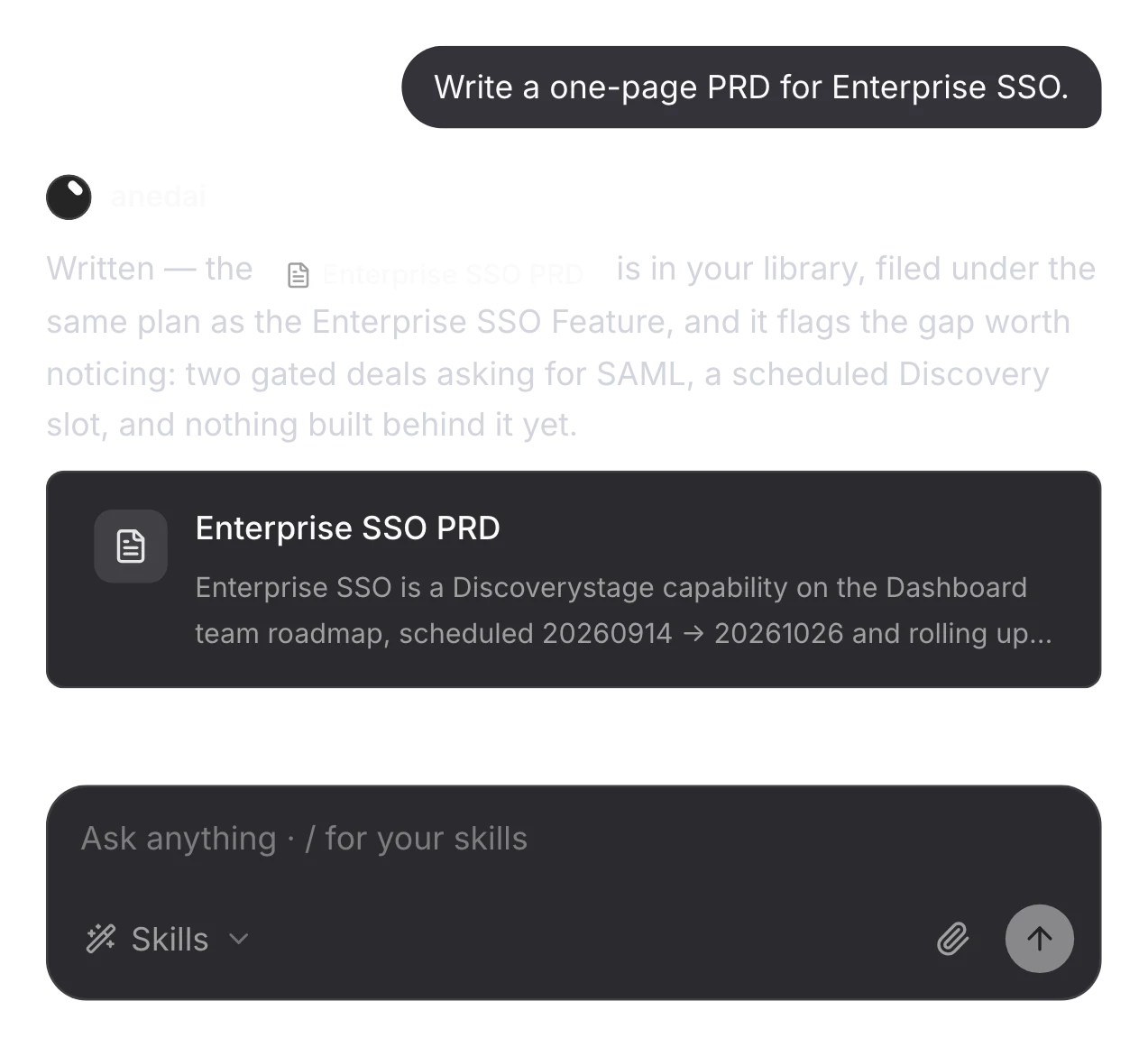
Ask for a report or a PRD and anedai gathers what it needs from the plan, roadmap and signals, then writes it as a real document you can open, edit and share.
Ask for a PRD, get a document
It writes a real page, not a wall of text in the chat. Then you refine it together.
Edits the passage, not the page
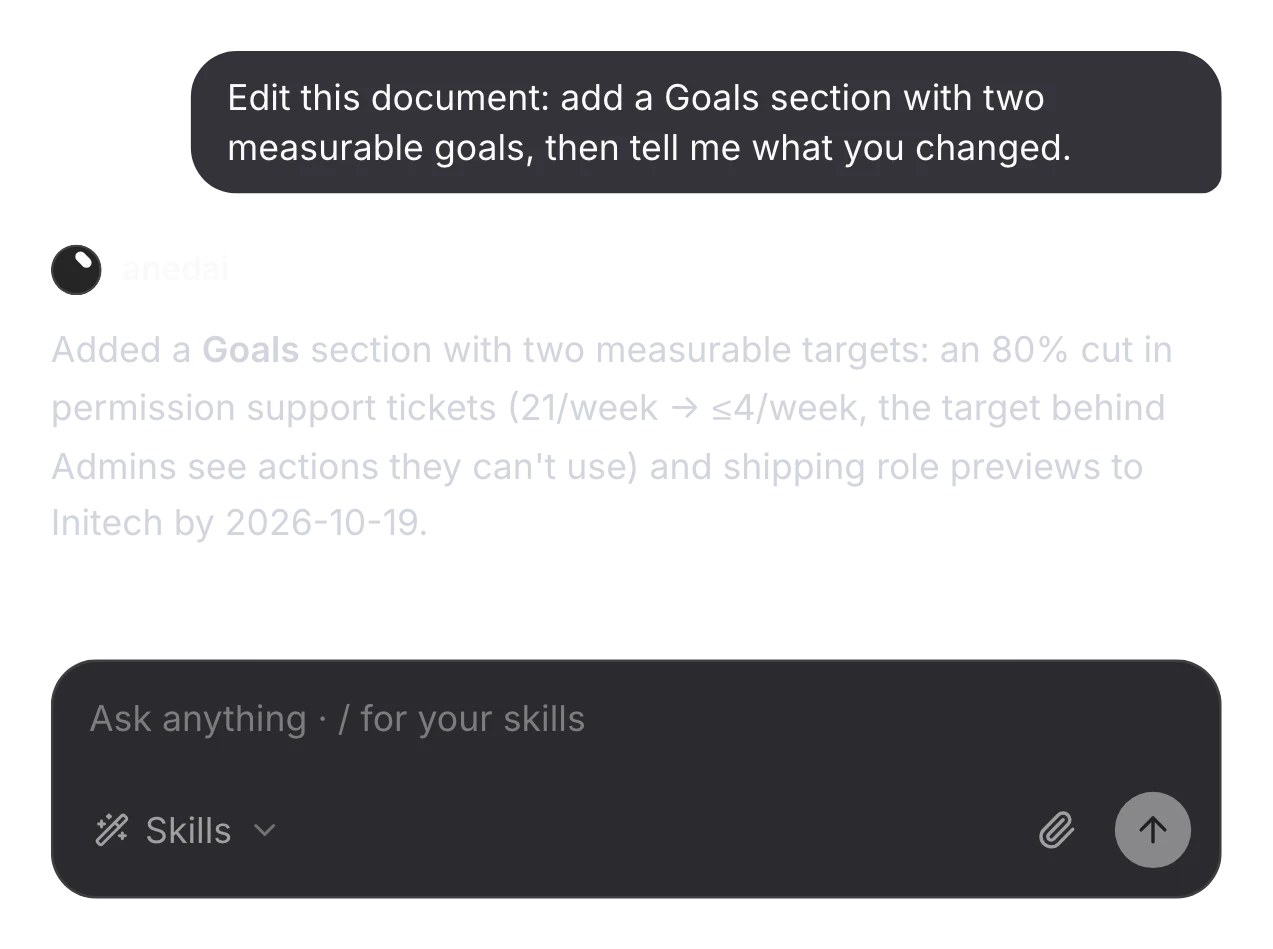
Ask it to change a document and it reads the page first, then edits that passage in place, leaving the rest, including your own edits, untouched.
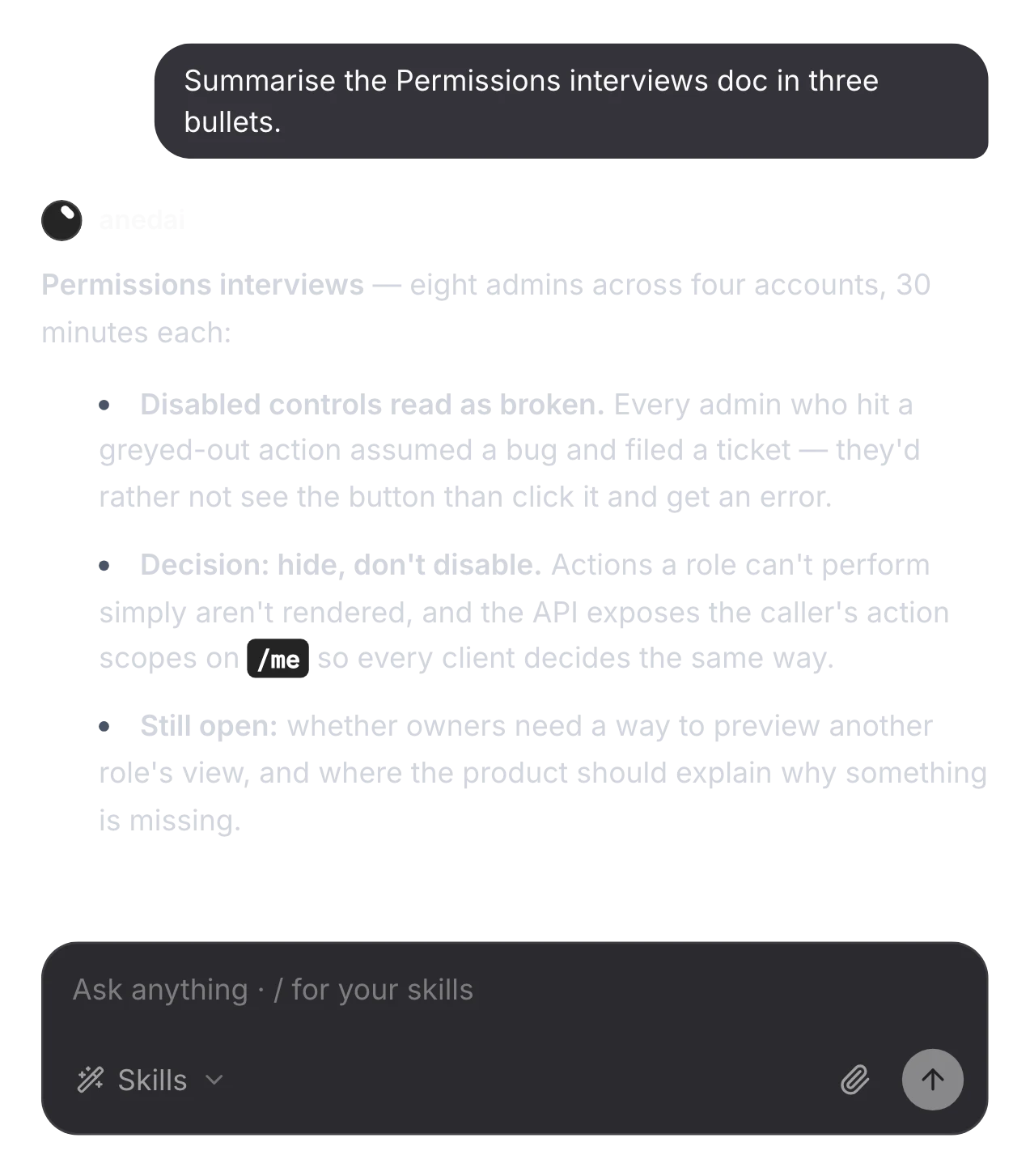
The gist of any page
Ask about a document by name. It finds the page, reads it and answers in a few lines.
The details
Small things that add up.
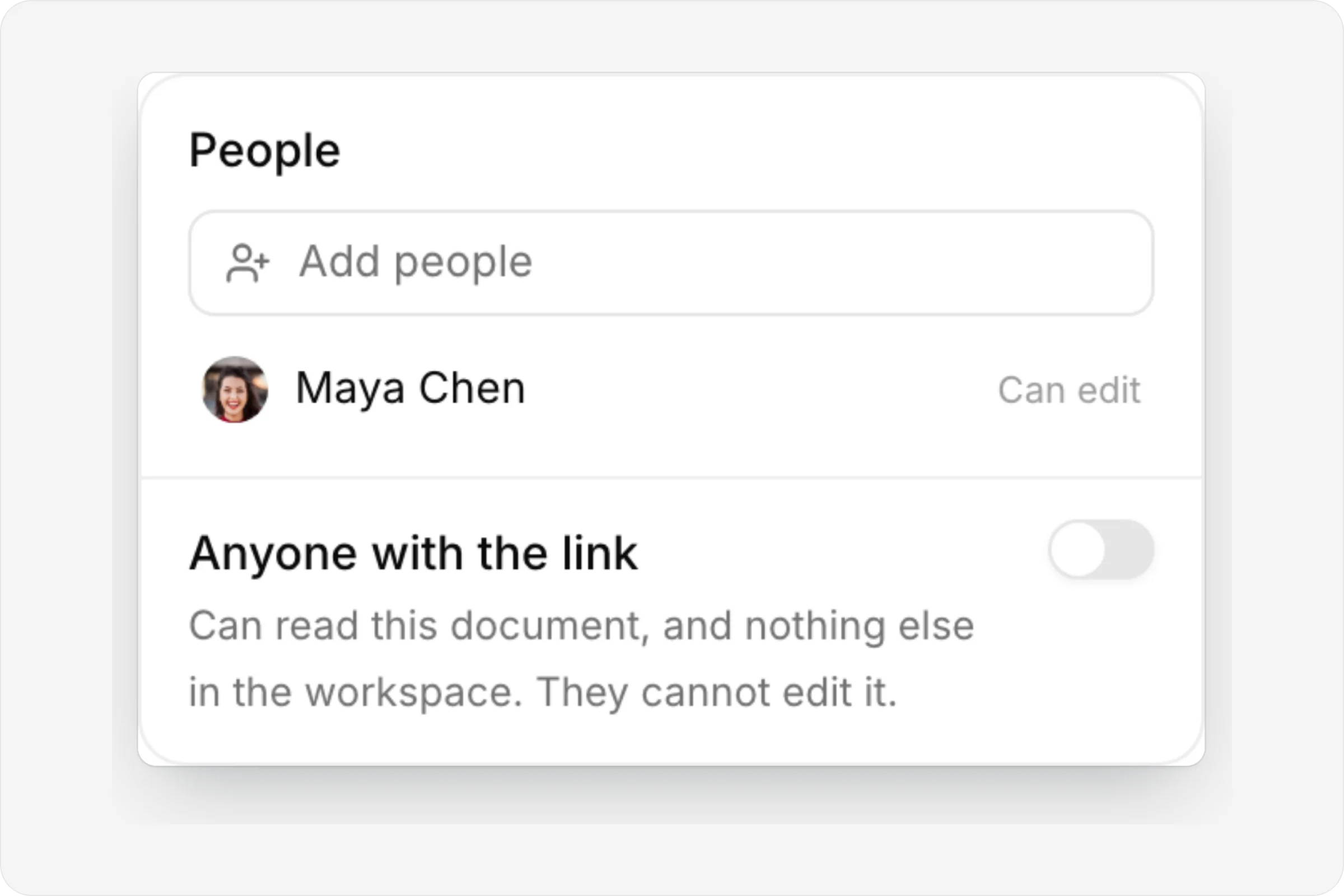
Share with exactly who you choose
Add people to a private page, or publish a read-only link.
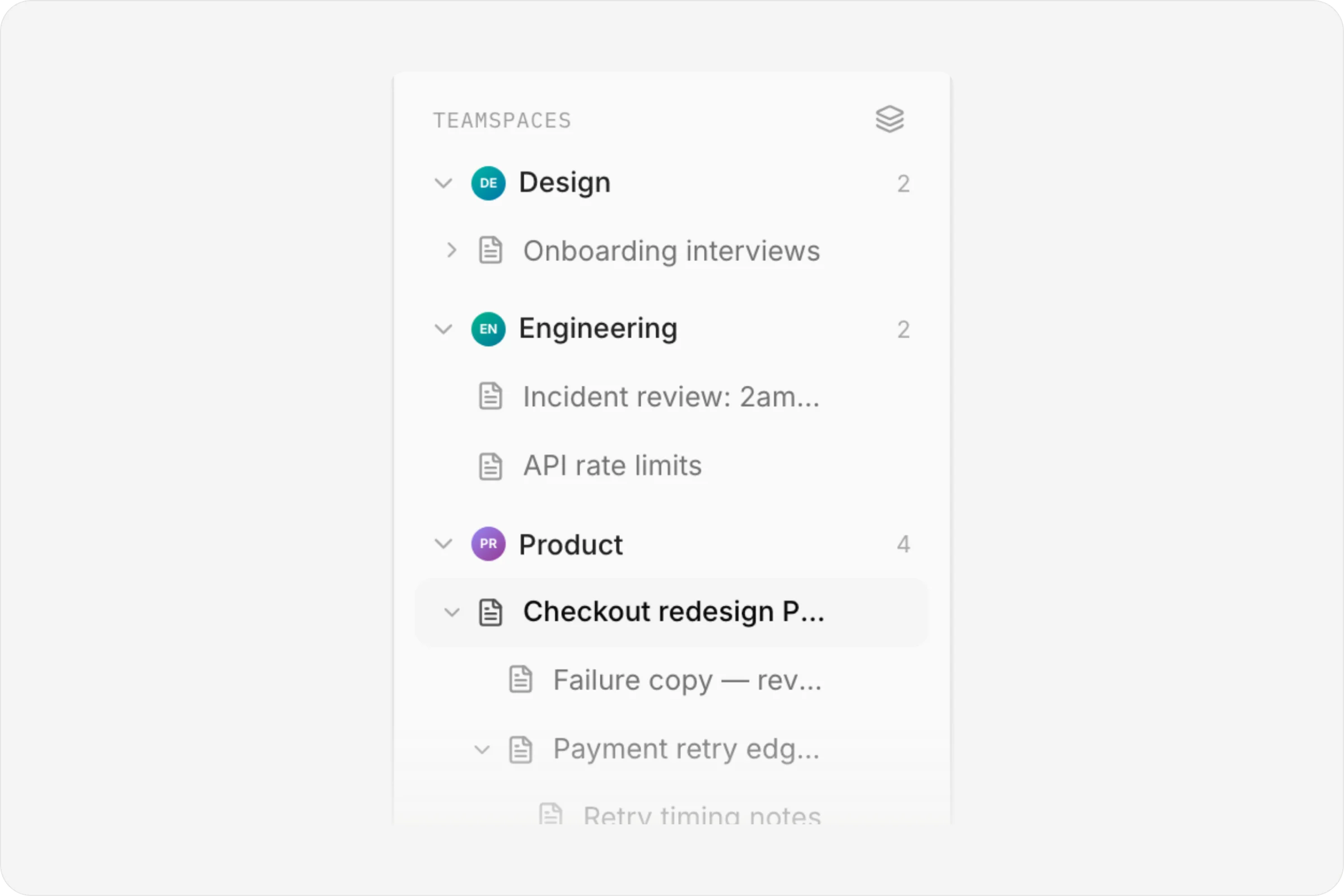
Pages inside pages
Nest as deep as you need. Drag to reorganise.
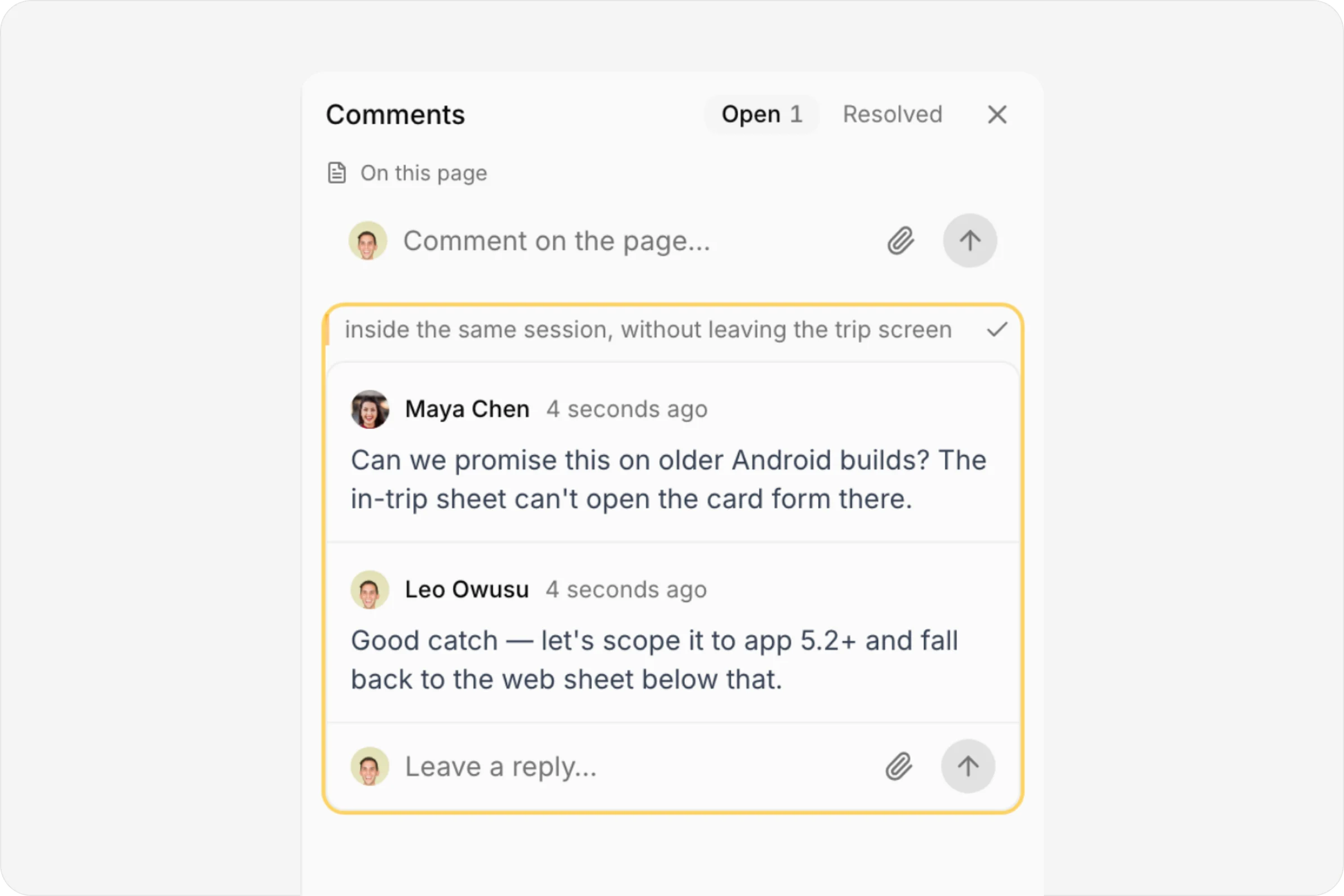
Every thread in one column
Open and resolved comments, with replies and reactions.
See who's writing
Named cursors as teammates type.
FAQ
Questions, answered.
Who can see a private page?
Only the person who made its top page, and the people they share it with. A shared page, and every page inside it, shows up in those people's Shared section.
Can the AI read pages I can't?
No. Every read goes through the same rule, the assistant included: if you can't open a page, neither can the AI working on your behalf.
Can people outside the workspace read a page?
Yes, if you turn on Anyone with the link. They get a read-only public page, and turning the link off revokes it.
What happens when I delete a page?
Pages are archived first, with everything inside them, and come back with one click. Permanent deletion only happens from the Archived section, and it asks first.
Who gets notified about comments?
People who are mentioned, people whose thread gets a reply, and the people who wrote or watch the page. Only people who can open the page are notified.


One connected product memory for the people and AI building your product.
Bring your tools, your docs and your team. AnedAI keeps the story between them.